Product: Quark Publishing Platform (QPP) NextGen
To compare two versions of a document in Quark Author:
-
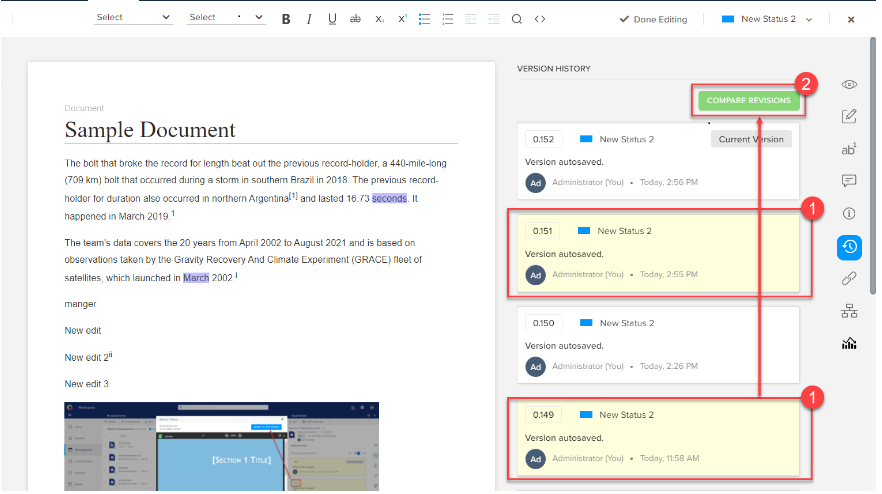
Select the versions you want to compare.
- Select the button Compare Revisions that QPP NextGen displays after you select two versions to compare.
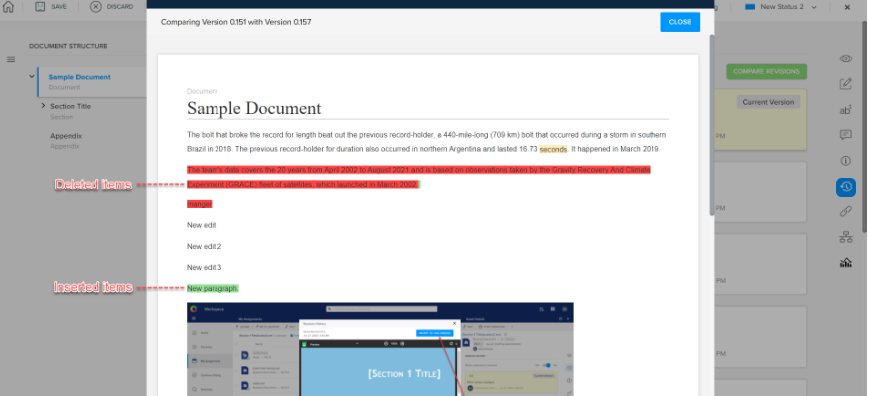
- QPP NextGen opens the Compare Revisions dialog, with changes highlighted (insertions in green and deletions in red).
To revert to an earlier version:
-
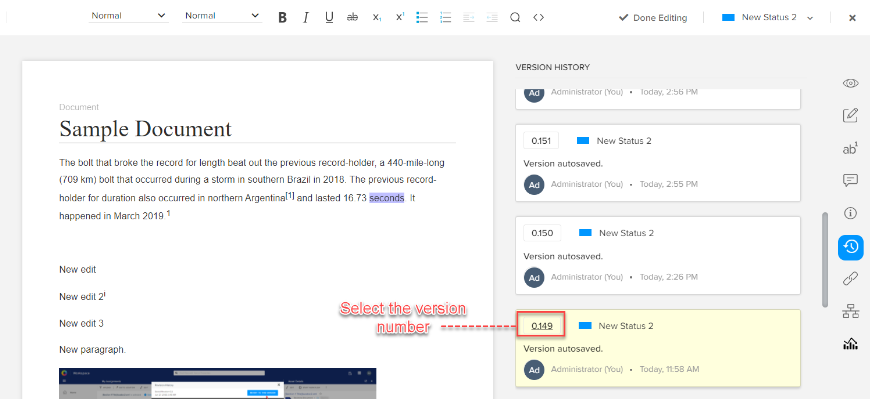
Select the version number on the version card.
-
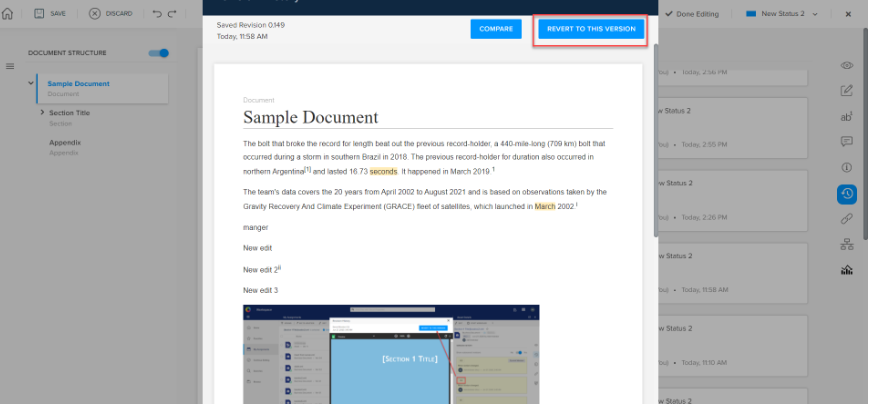
QPP NextGen opens in the Revision History window.
-
Select the button Revert to This Version.
-
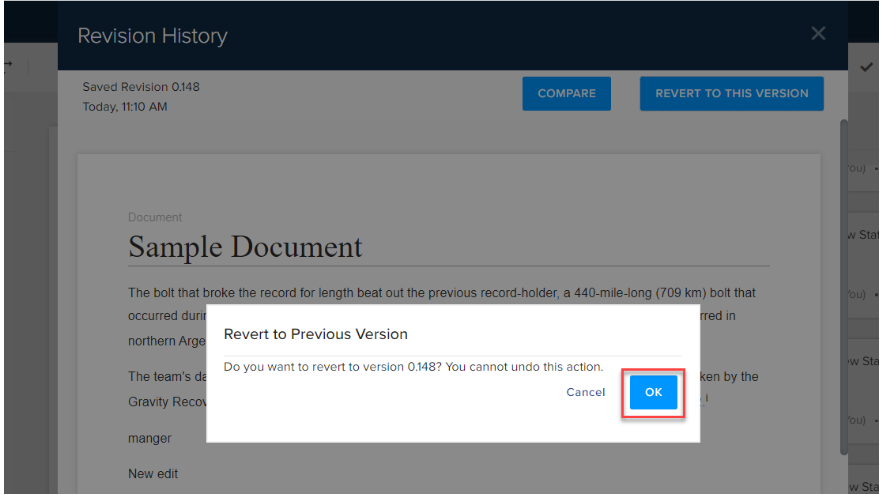
QPP NextGen prompts a dialog to confirm if you want to revert to this version.
-
Select the button OK.
Priyanka Bhotika
Comments