You can rename a Quark XML Author (QXA) document in Quark Publishing Platform NextGen server. The process is as follows:
1. Check-out the document from the server and open the Smart Document Pane.
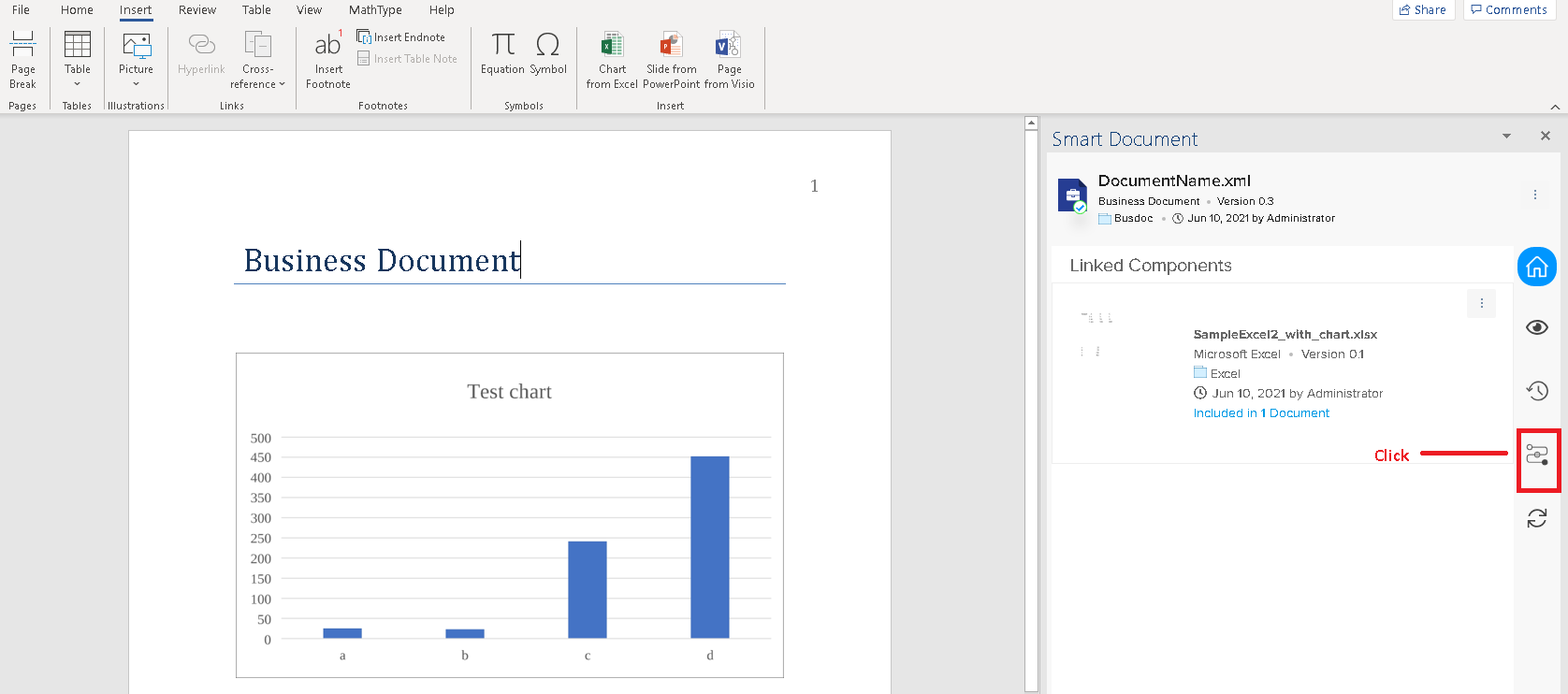
2. Select the Workflow icon in the Smart Document Pane.
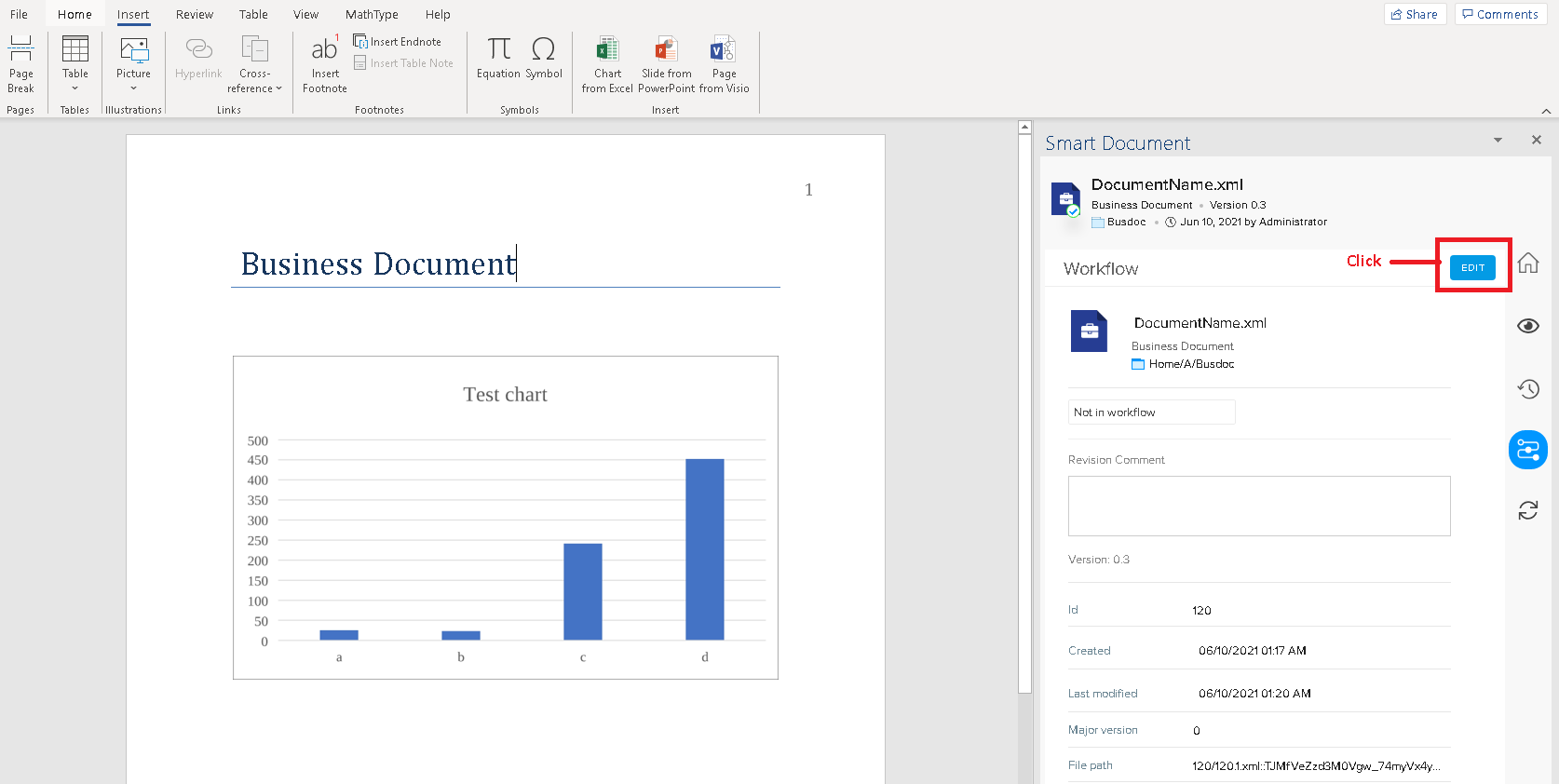
3. Select the button Edit.
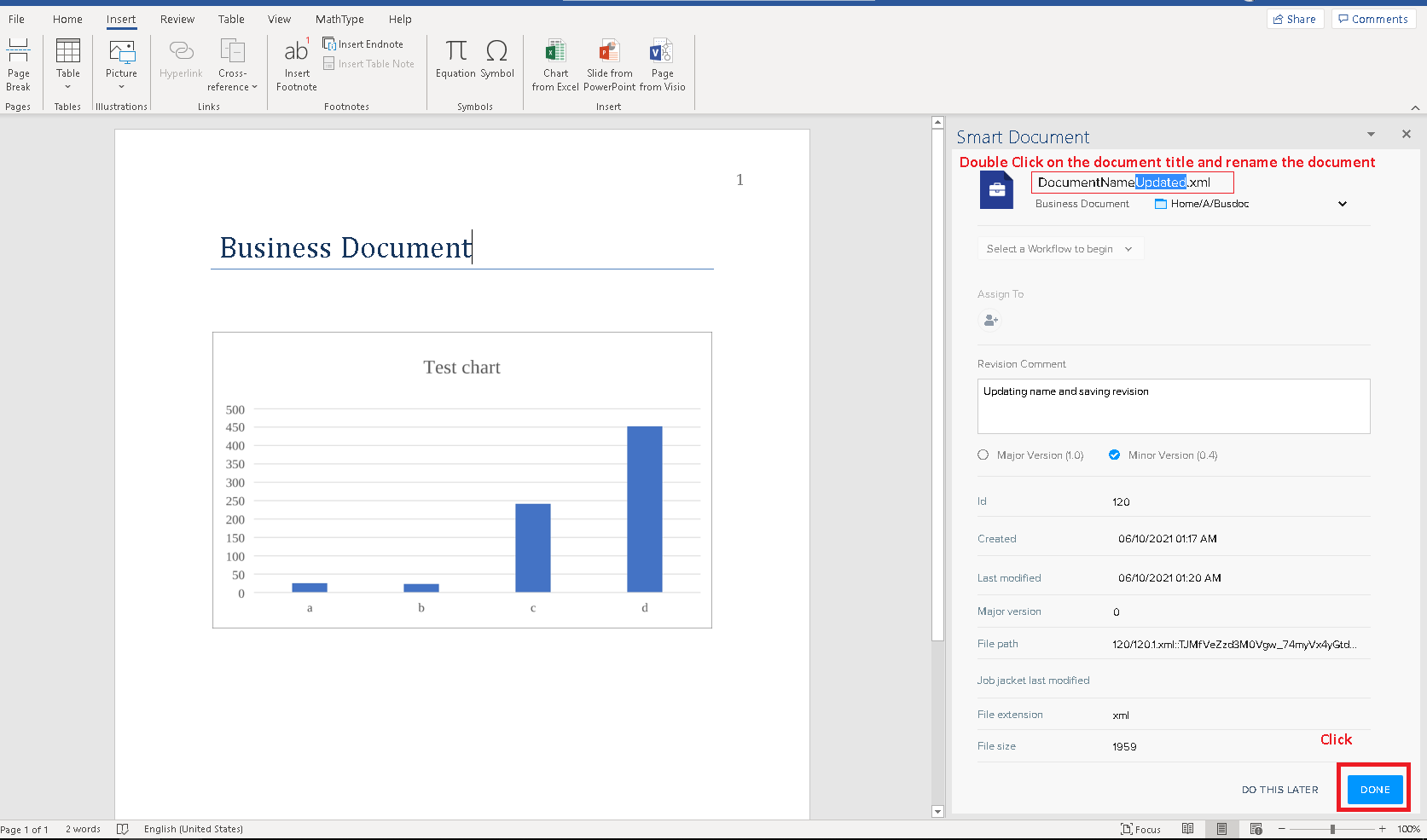
4. Double-click on the asset name and update it. Click on ‘Done’
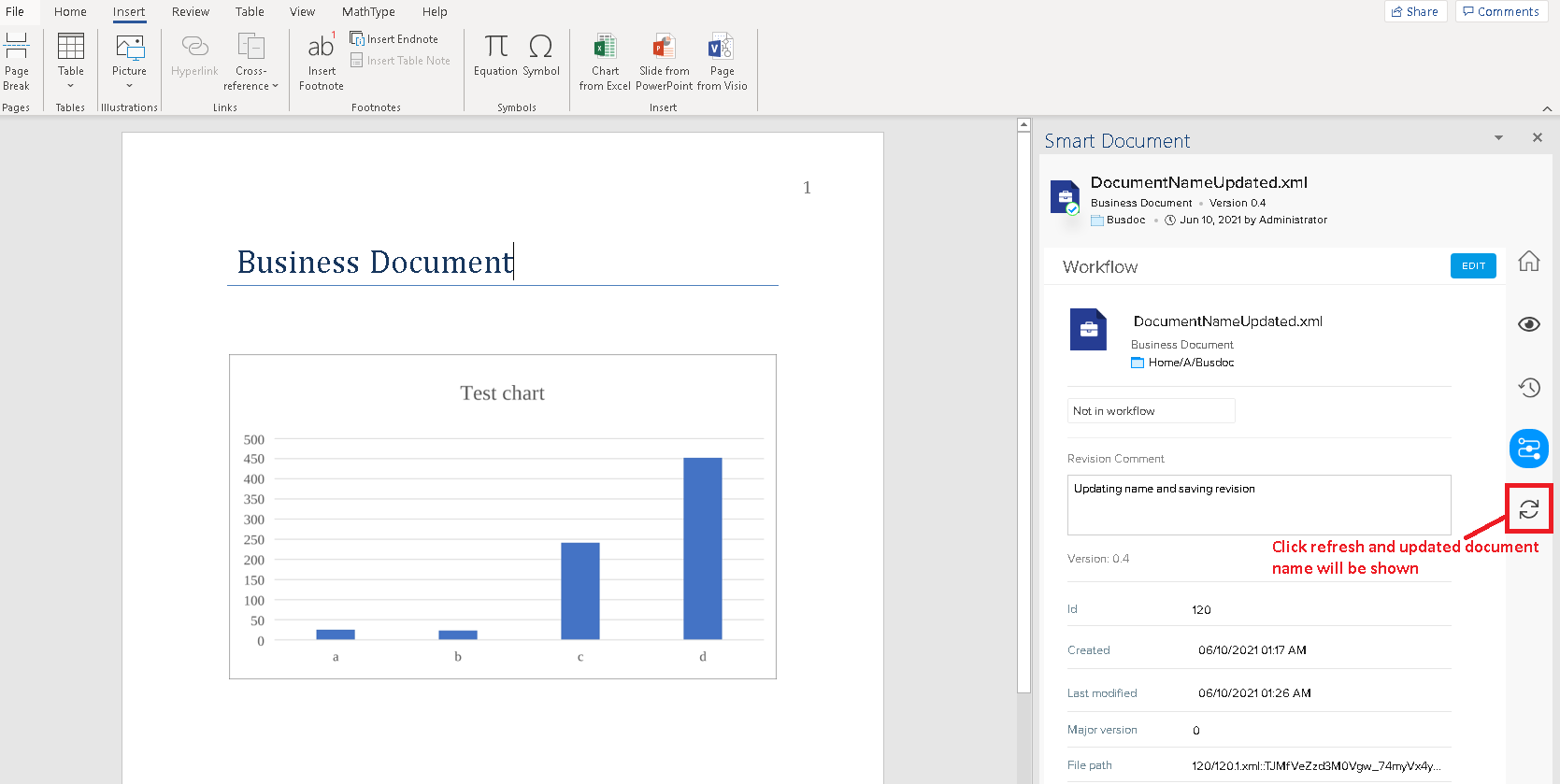
5. The document name will get updated and then click on the Refresh button.
Priyanka Bhotika
Comments