Product: Quark Publishing Platform (QPP) NextGen
To enable MathType editor in QPP NextGen Adapter for Quark XML Author:
- Go to the URL https://www.wiris.com/en/mathtype/ and download the Wiris MathType installer to your local machine.
- Close all Microsoft Office applications.
- Run the Wiris MathType installer and finish the installation.
- Launch Microsoft Word (with Adapter for Quark XML Author enabled).
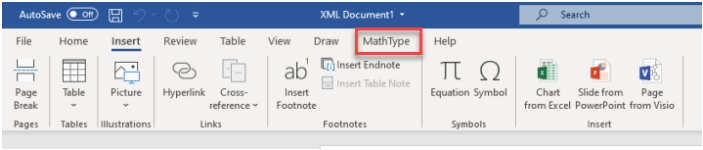
- Create a new Quark XML Author document and the tab MathType should be visible in the header ribbon.
Priyanka Bhotika
Comments