Summary:
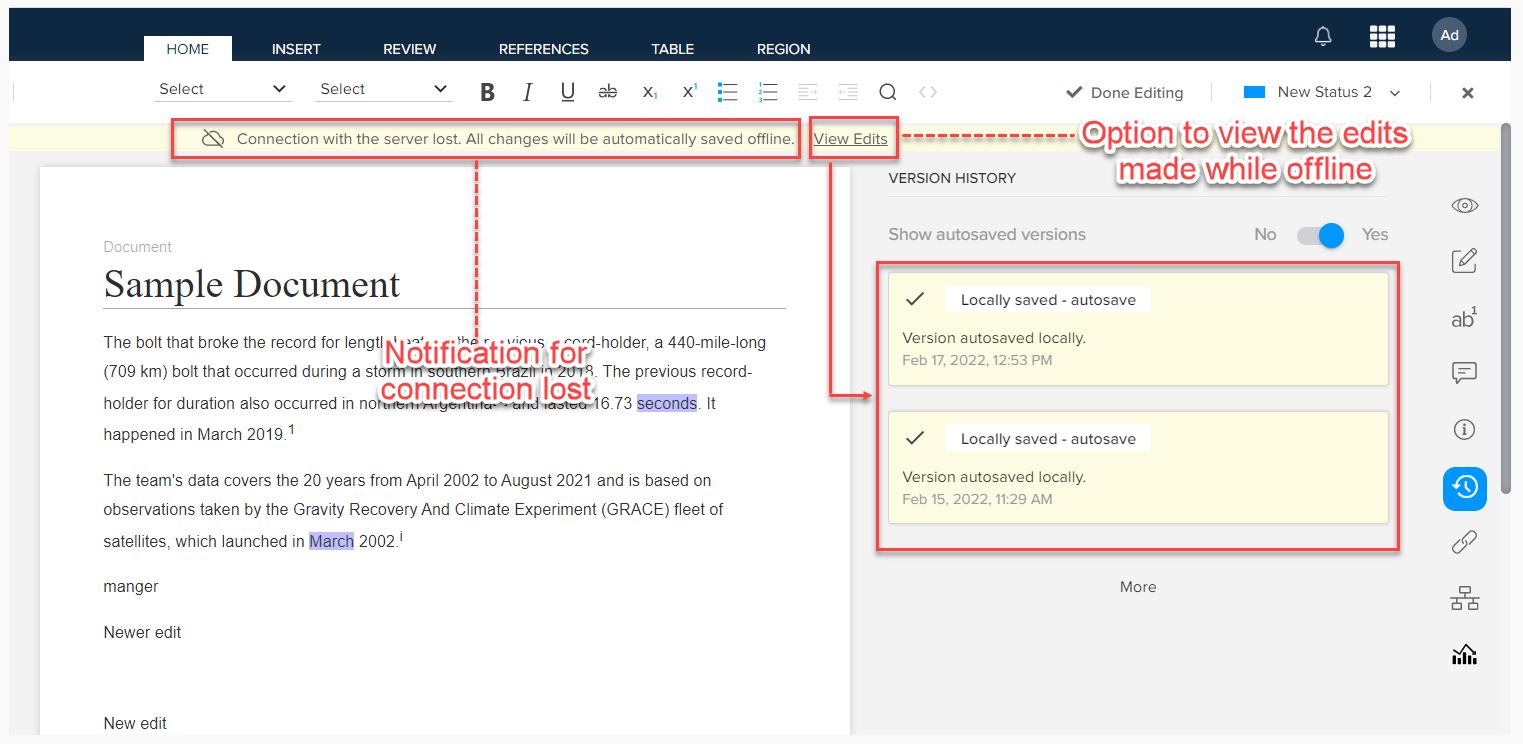
Offline editing allows you to edit documents locally when the connection with the server is lost. When the connection with the server is lost, the Author module displays a notification above the authoring canvas. QPP NextGen retains the changes made while offline.
Solution:
To view the changes made while offline, follow below steps:
- Logon to a QPP NextGen server.
- Navigate to the Author module through the chocolate menu at the upper-right corner of the screen.
- Open the document, user can see offline changes through the link View Edits next to the notification for connection lost, which displays the version created by offline edits under the History pane in the App panes.
- Once the connection is reestablished, QPP NextGen syncs the offline version with the online version.
Priyanka Bhotika
Comments