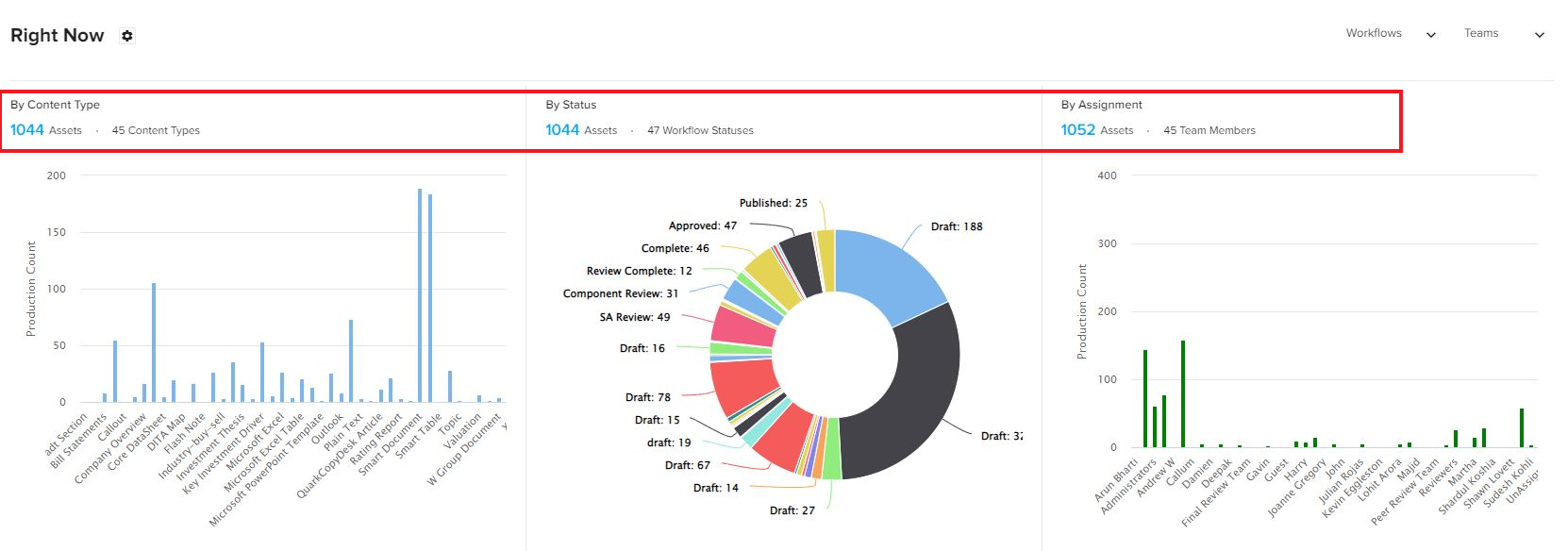
The Right Now section displays the overall statistics related to assets by content type, by workflow status, and by assignment (assigned user) in the form bar and pie charts.
Filter by a Search Query
This option displays statistics related to only the results that specific search query returned. To see the statistics related to a specific search query:- Click on the the settings icon
next to Right Now to open the list of searches in a pane at the right-hand side of the screen.
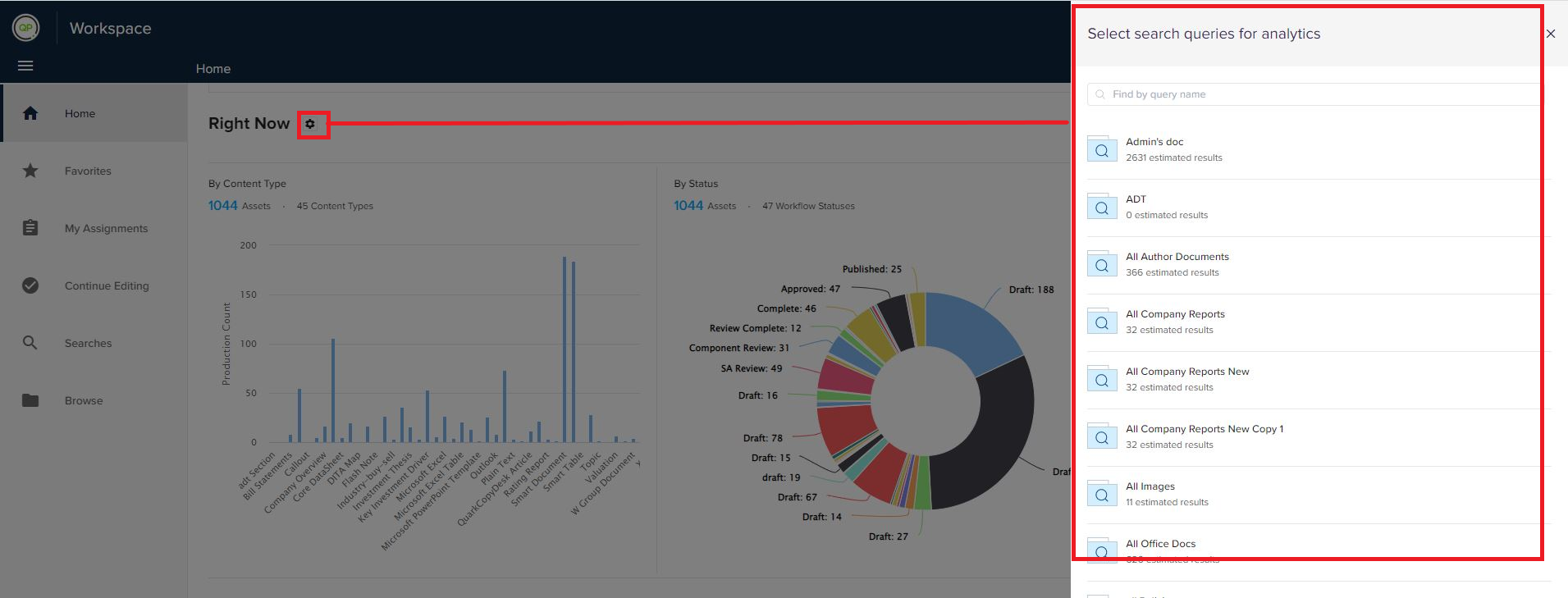
- Select a search from the list.
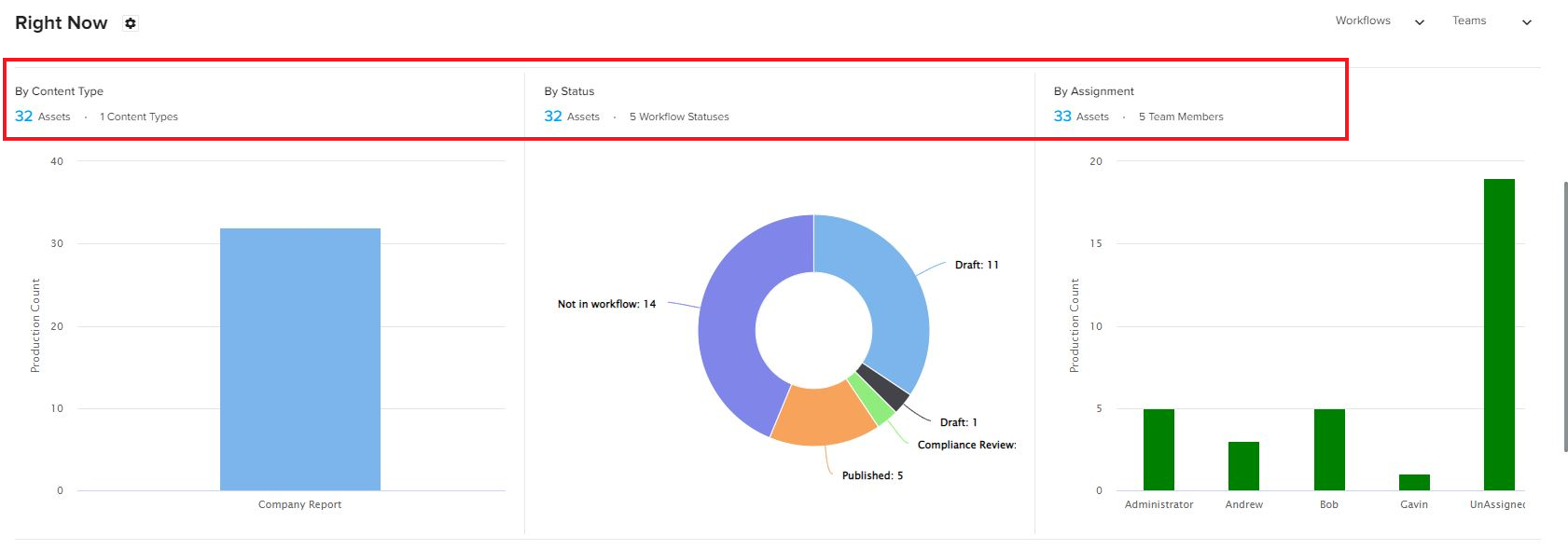
- The Workspace module displays the statistics related to the assets returned by the selected search.
Priyanka Bhotika
Comments