The Right Now section displays the overall statistics related to assets by content type, by workflow status, and by assignment (assigned user) in the form bar and pie charts.
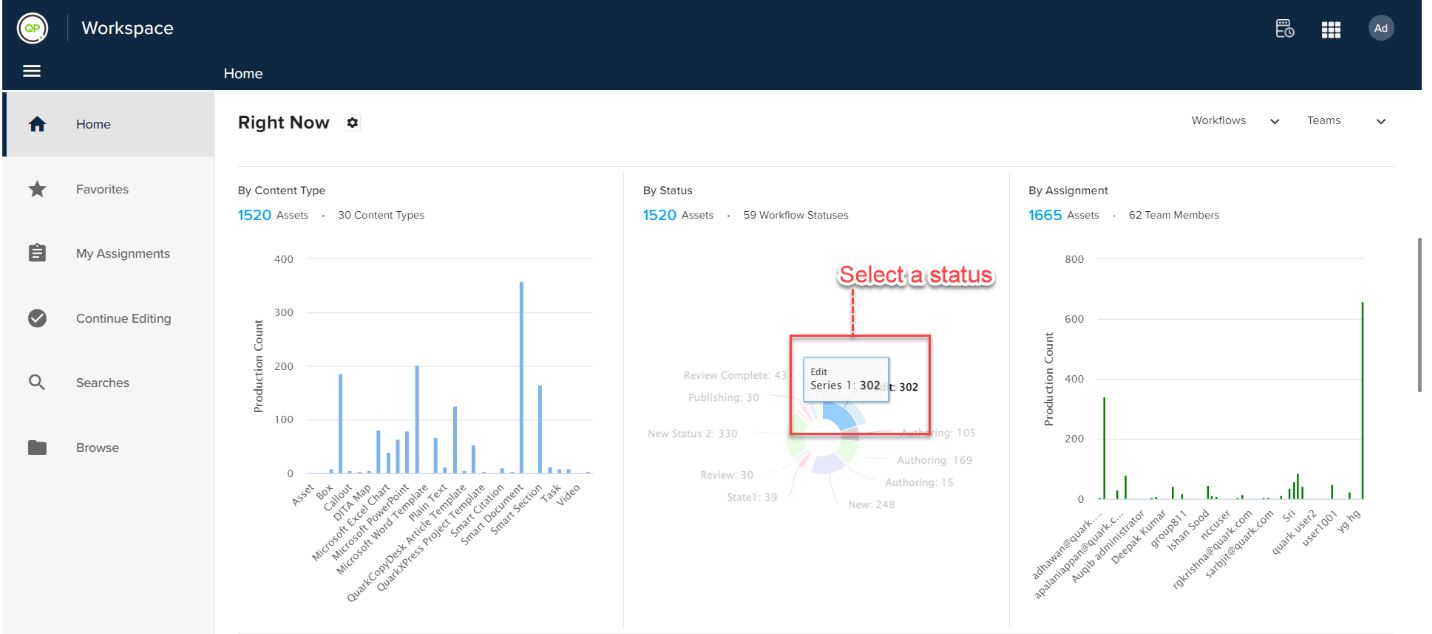
To see the statistics for status in the workspace:
- In the Status pie chart, select a status section.
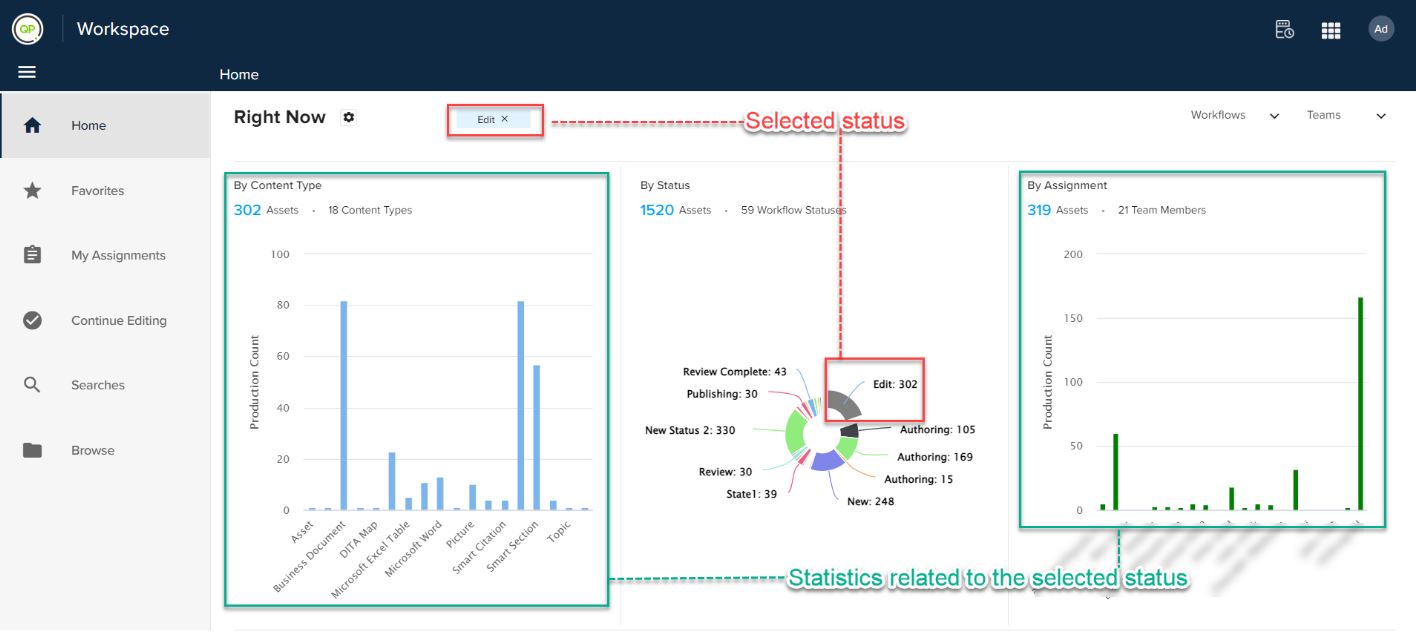
- The Workspace module adds a tag and highlights the section for the selected status and displays the related statistics in the Content-Type and Assignment graphs.
Priyanka Bhotika
Comments