Product: Quark Publishing Platform (QPP) NextGen, QuarkXPress
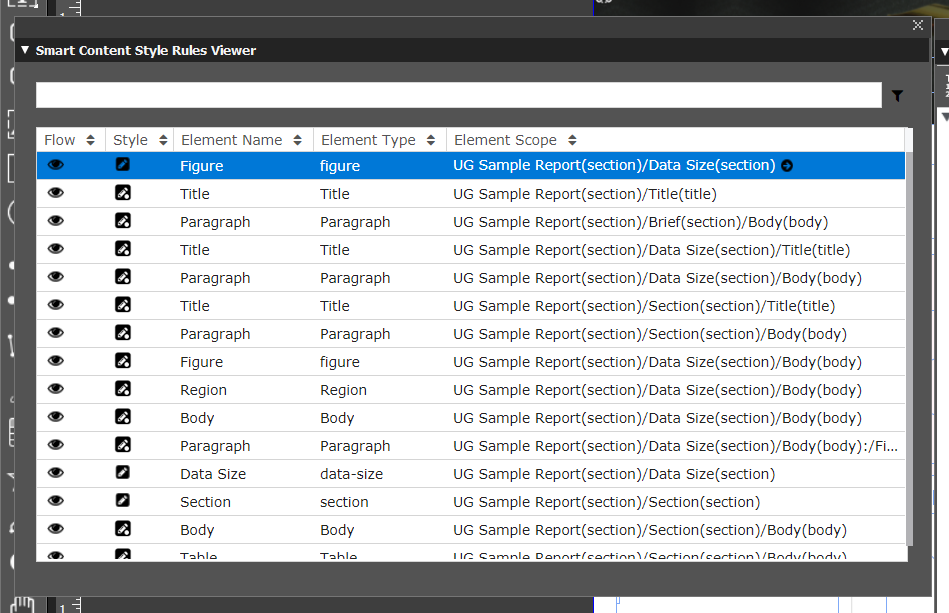
The Smart Content Style Rules Viewer allows you to view all the rules you have applied to the section/section elements of a document at once in a flat table.
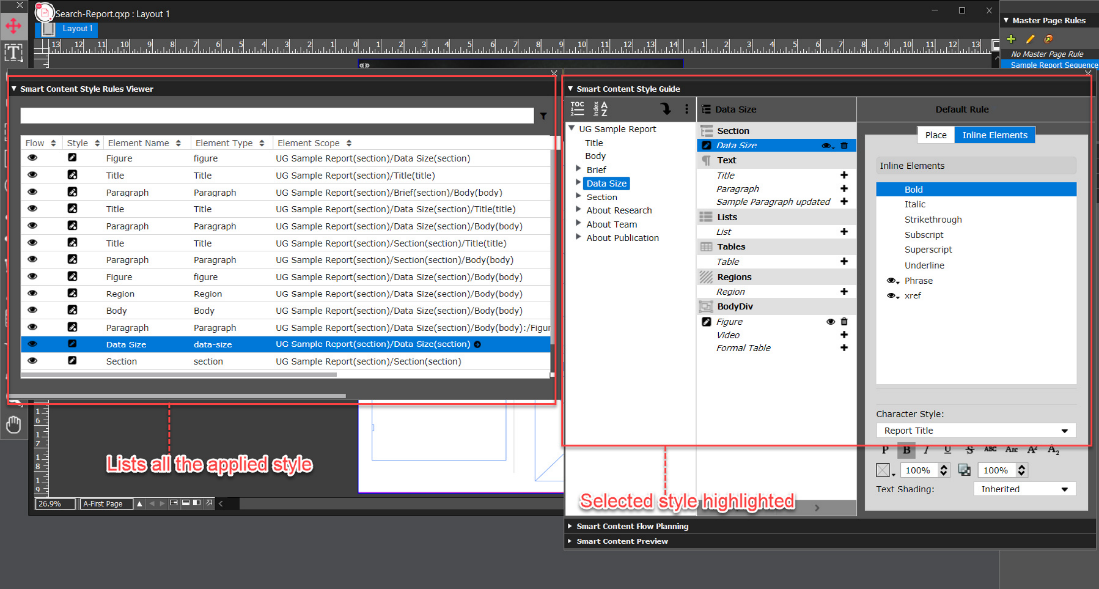
When you select a section/section element in the Smart Content Style Rules Viewer palette, QuarkXPress also highlighted the section/section element in the Smart Content Style Guide palette as well as in the project, from where you can verify the design and make changes as required.
The Smart Content Style Rules Viewer palette offers numerous sorting and searching options that allow you to quickly browse through and find the styles applied to various sections/section elements in your document and then manage them through the Smart Content Style Guide palette. These options come in handy for large documents with numerous sections and section elements.
Sort Options
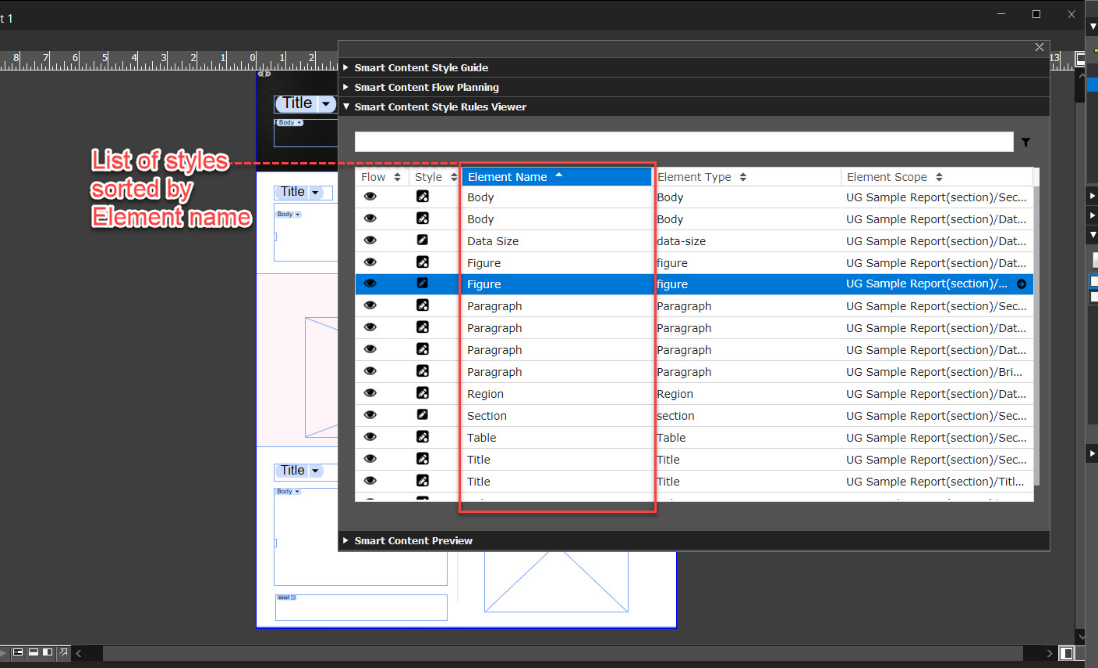
You can sort the list of style rules by all the table column values in the palette, which are:- Sort by Flow: Sorts the list by the order of occurrence in the document and in the layout.
- Sort by Style: Sorts the list by default styles and applied styles.
- Sort by Element Name: Sorts the list by element names.
- Sort by Element Type: Sorts the list by element types.
- Sort by Element Scope: Sorts the list by styles applied.
To sort the list, simply select the table column name or the up and down arrow icons 
Filter and Search Options
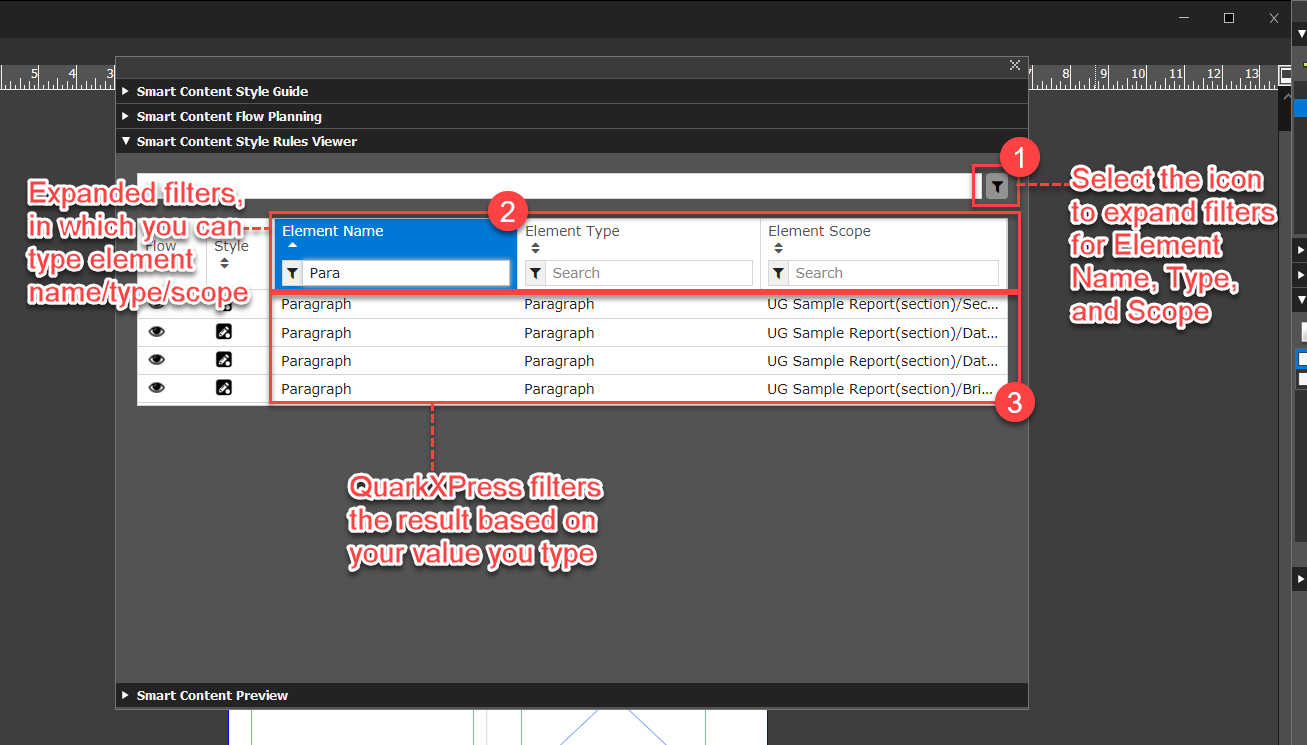
You can filter the list of style rules by:- Element Name
- Element Type
- Element Scope
- Section/Section Element
- Select the filter icon next to the search bar at the top of the palette to expand the filter search bar for each of the table column values and then search the name of the element in their respective search bars.
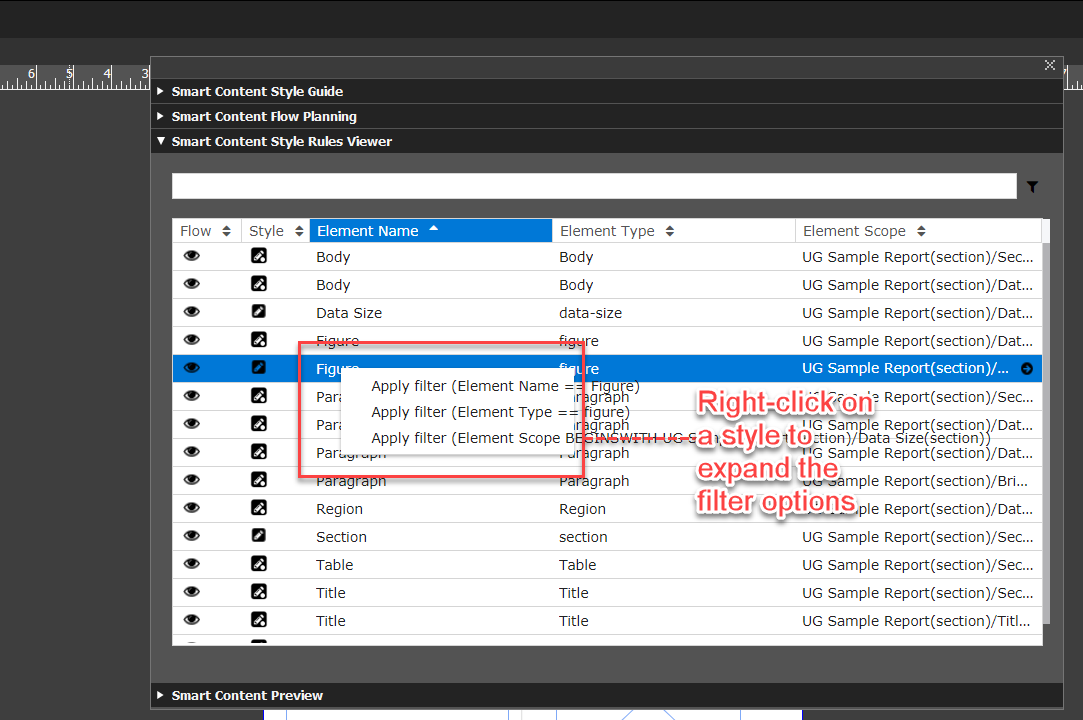
- Right-click on a style rule and then select the filter that you want to apply (by name, type, or scope) in the context menu.
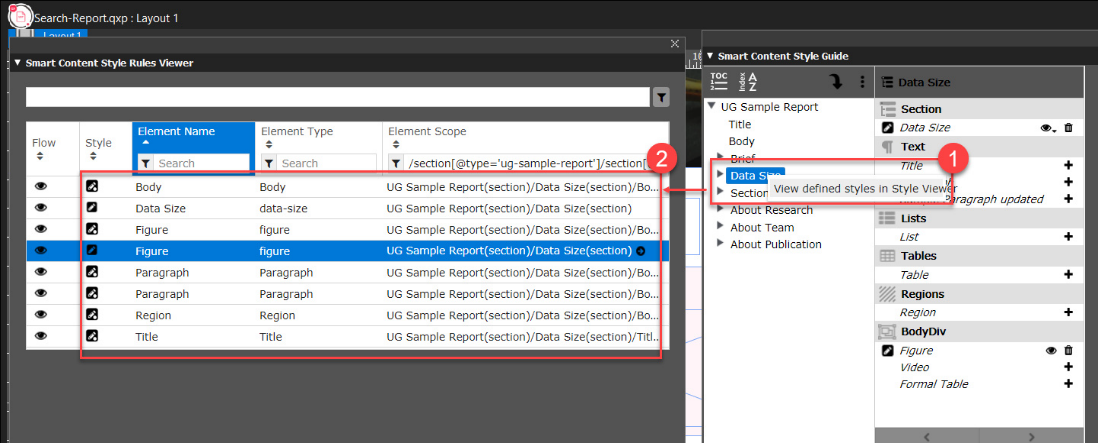
To filter style rules by a section, right-click on the section/section element in the Smart Content Style Guide palette, and then select the option View defined styles in Style Viewer.
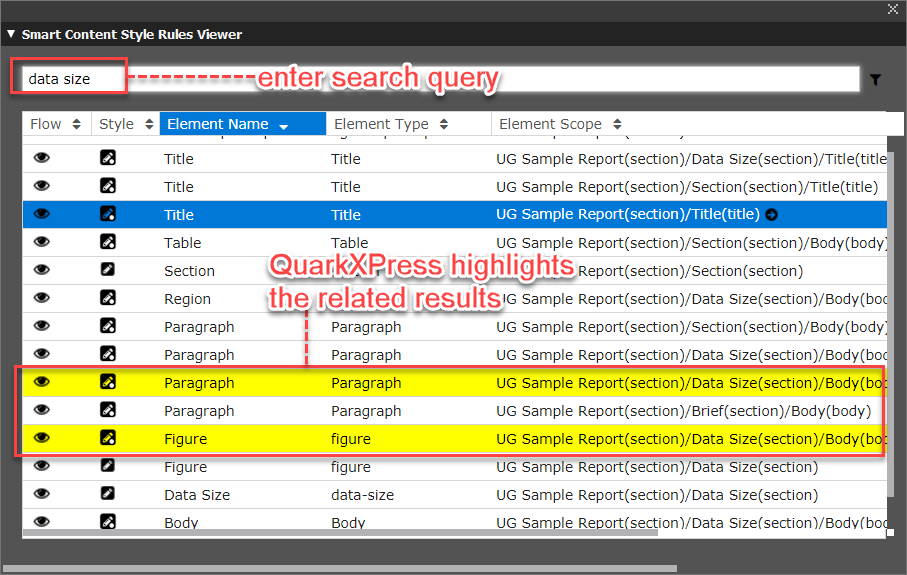
You can search for a style rule by its name only. To search for a style rule, simply type in the name in the search bar of the Smart Content Style Rules Viewer palette and QuarkXPress highlights the styles that are related to your search query.
These sorting options, filters, and search capabilities allow you to browse through your document’s style and manage them efficiently, especially in large documents.
Priyanka Bhotika
Comments