Product: Quark Publishing Platform (QPP) NextGen, QuarkXPress
You can check and manage sections with overmatter (lack of space in a text box/region to accommodate all the content of a tagged section) through the Smart Content Preview palette.
To check and manage sections with overmatter:
-
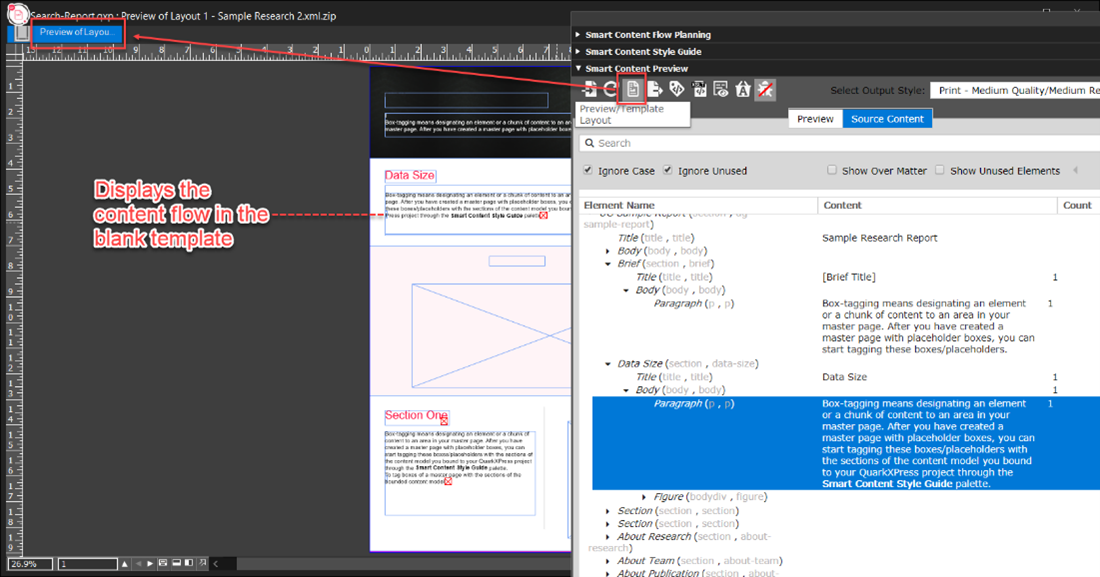
Switch to the Preview view of the project in the Smart Content Preview palette.
Note: QuarkXPress displays the icon 
-
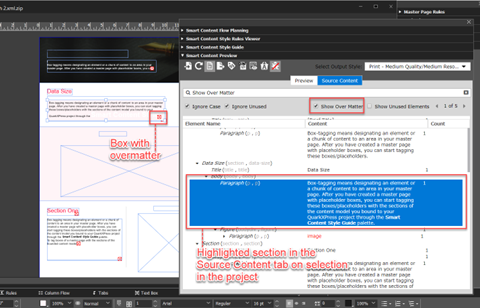
In the Source Content tab of the Smart Content Preview palette, select the See Over Matter checkbox.
-
Select a box with overmatter to highlight the section in the Smart Content Preview palette.
-
Make the changes to the content or the container box on the master page where overmatter happens based on your requirements.
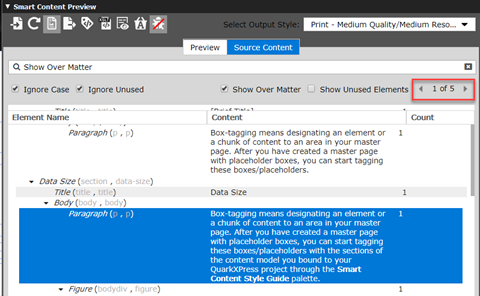
Note: The Source Content tab also displays the total number of sections with overmatter in a document and arrow buttons to move back/forward to the previous/next section with overmatter.
Priyanka Bhotika
Comments