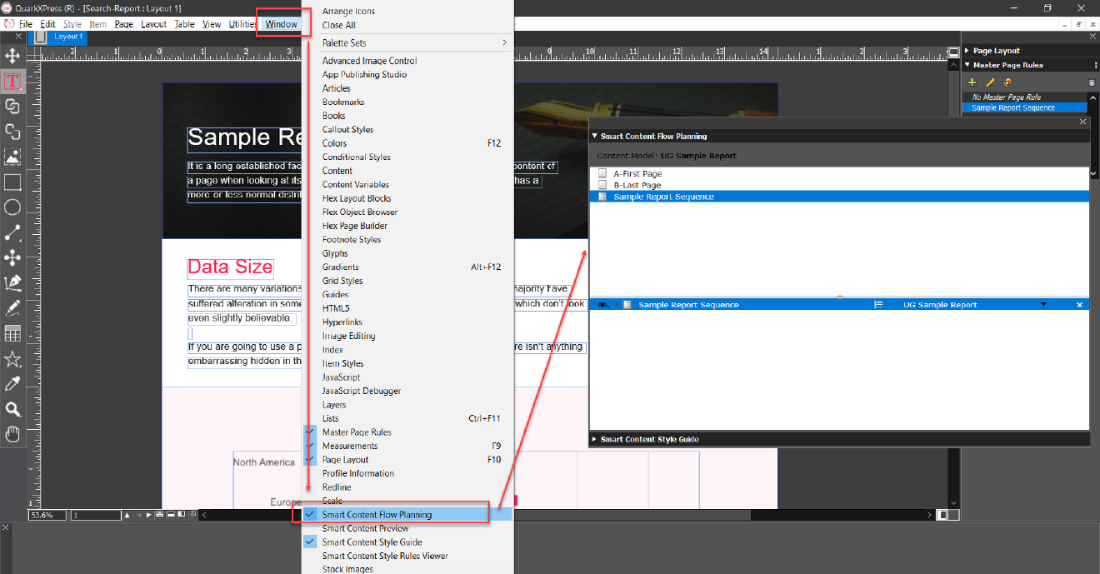
From the header ribbon bar, select Windows > Smart Content Flow Planning to open the Smart Content Flow Planning palette which lists all the master pages and master page rules you have defined in your current QuarkXPress project.
In the Smart Content Flow Planning palette, select and drag a master page or master page rule to the bottom half of the palette to apply and configure it based on your content model schema.
Priyanka Bhotika
Comments