The Preview pane allows you to preview a document in several formats (output channels) and also provides a few related options such as downloading a preview, refreshing the preview, and more.
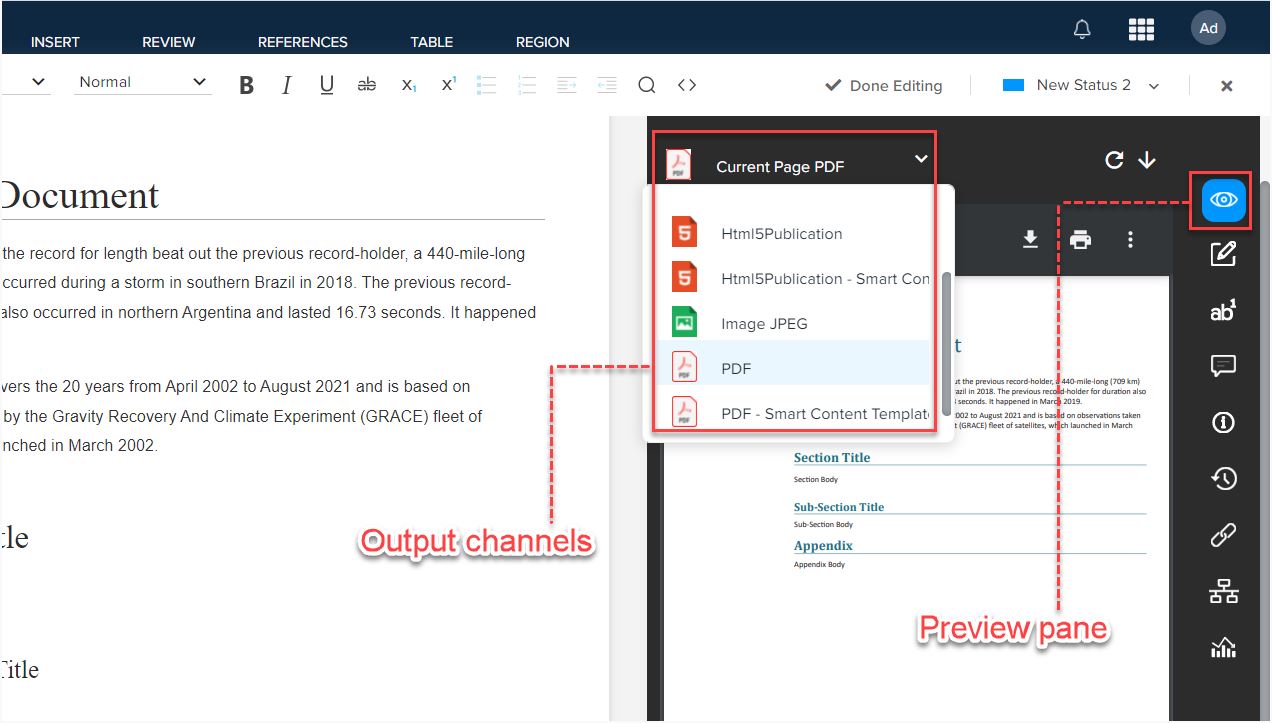
Primarily, the Preview pane previews a document in one of the following formats through output channels:
- JPEG
- HTML
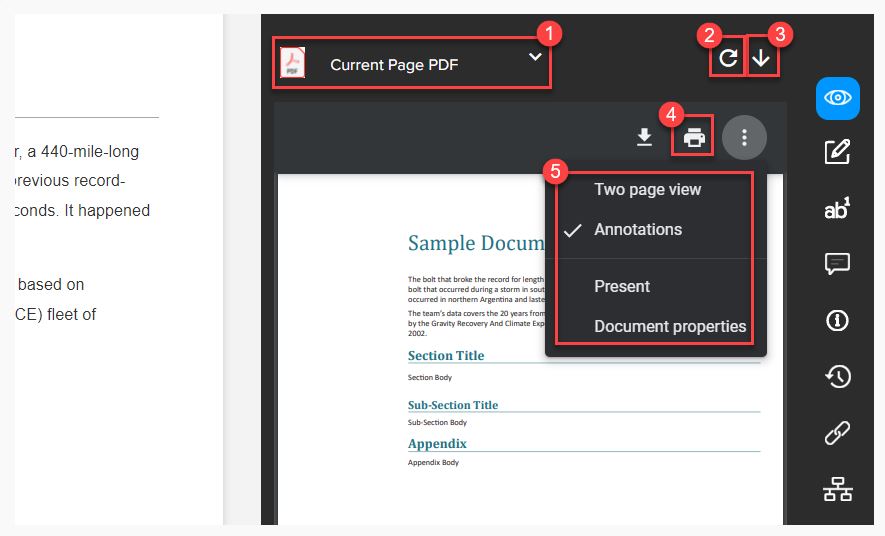
- Select an output channel
- Refresh the review
- Download the preview
- Print the preview
- Additional options through the kebab menu icon, which allows you to change the display settings and view the document properties
Priyanka Bhotika
Comments