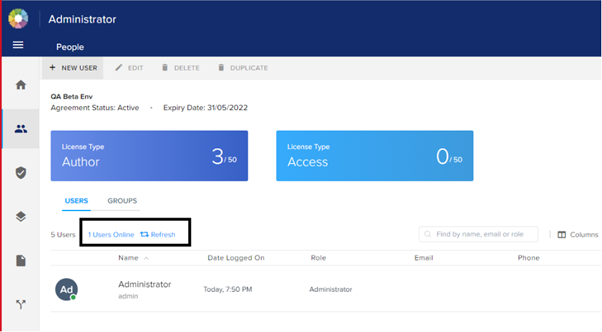
How to view Online Users in QPP NextGen Product: Quark Publishing Platform (QPP) NextGen Following are the steps to view online users: Login to QPP NextGen and go to the Admin page. Click on people, once you will select the users, you will see the total number of users and the users that are online. Choose files or drag and drop files sf_kb_import Tags: Was this article helpful? Yes No Priyanka Bhotika Posted Updated PostShare on Facebook Comments Please sign in to comment
Priyanka Bhotika
Comments