Users are the entities that can be given permissions to perform tasks in the platform using Roles.
Following are the steps to create a new USER:
- Login to the QPP NextGen through the URL: https://<SERVER-URL>/admin/,then click the menu in the top right corner to access the admin from navigation options.
Alternatively, a user can go to the following URL after logging in as well: https://<SERVER-URL>/admin/
- To add a new user, select people from left pane and click the plus (+) icon with ‘New User’ written on it. It will open a new form tab from the right of the screen. In the form, there are fields that must be filled in to create the user. (Refer the below screenshot).
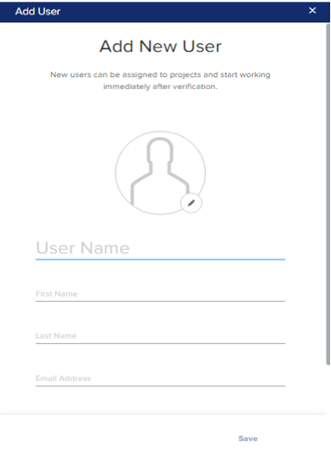
- Enter the username, first name, last name, email address, phone, list of privileges to be given, and type of licenses assigned. Also, there’s an option to add a profile picture for the same.
- Click on the save option and the user will get created.
Priyanka Bhotika
Comments