Product: Quark Publishing Platform (QPP) NextGen
To create a new search query:
-
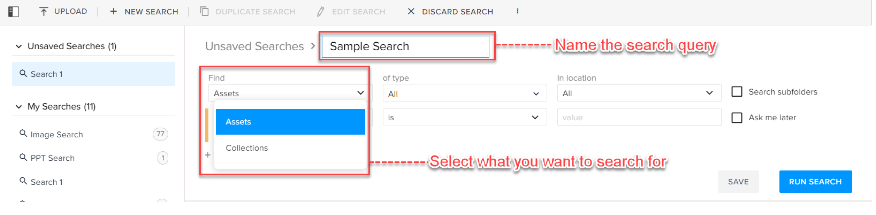
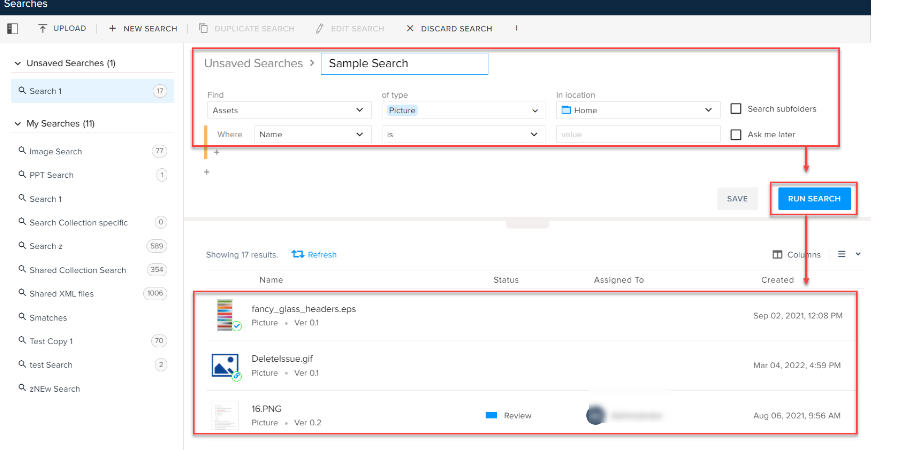
Select the button +New Search at the top of the bar operations.
-
Add a name to the search.
-
Provide the following information:
-
In the field Find, select whether the user wants to search for an asset or a collection.
-
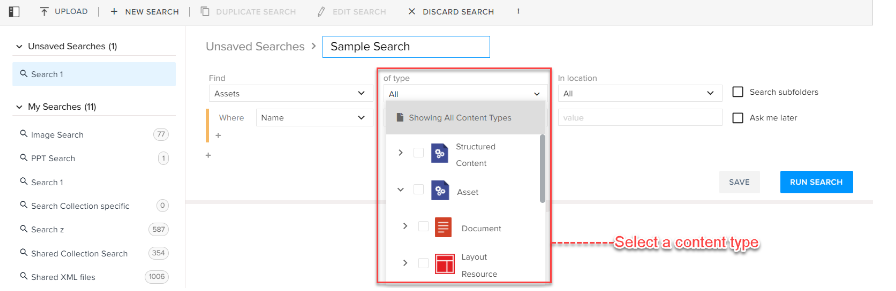
In the field of type, select a content type or a sub-content type.
-
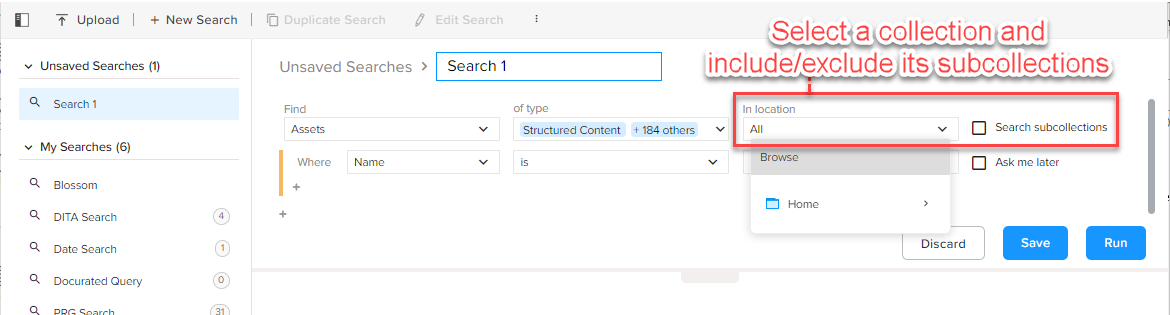
In the field In location, select a folder/collection on the server. A user can also choose to include a subfolder of a collection through the checkbox Search subcollections.
-
-
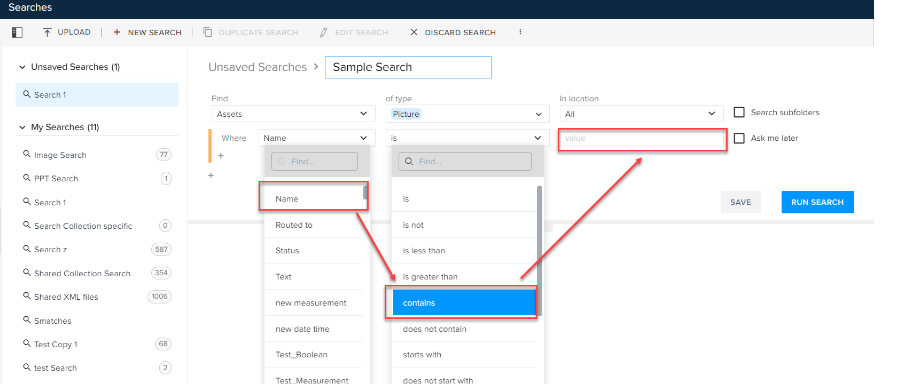
Mention a specific condition for an attribute; for example, where Name contains [value].
A user can also choose not to select a specific condition by selecting the checkbox Ask me later.
-
Click on Run Search to see the search results.
-
Click on Save to save the search.
Priyanka Bhotika
Comments