Product: Quark Publishing Platform (QPP) NextGen
To get the list of all the assets that match certain criteria such as "created by a specific user" or "due on a certain date", and so on, you first must create a new search query and then export results.
For example, the process to get a list of all the assets that are created by a specific user is as follows:
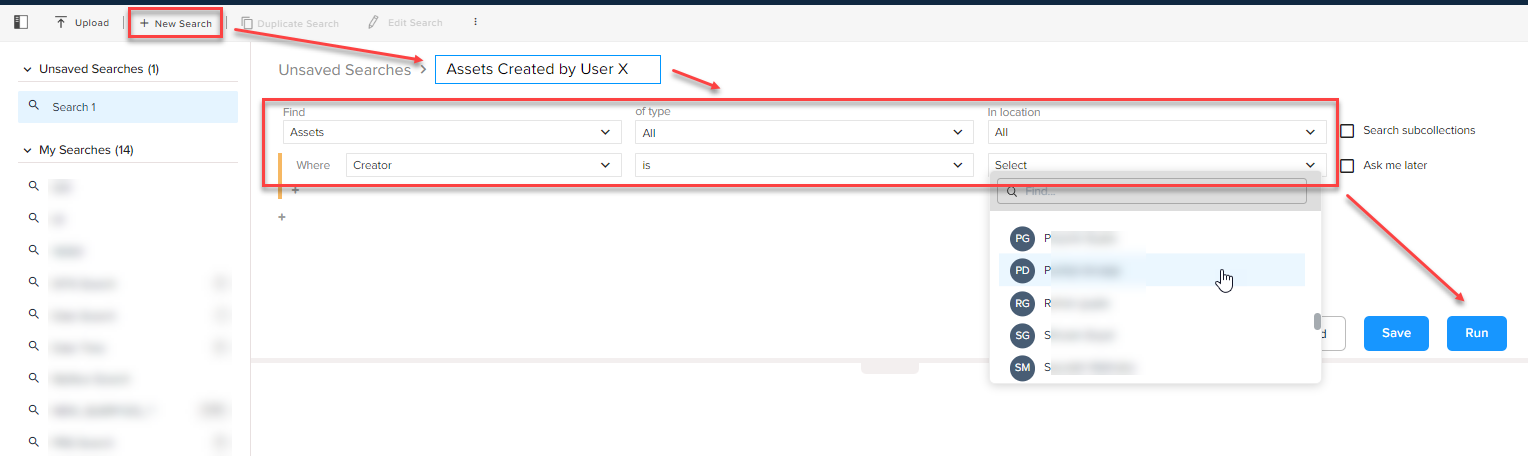
- Go to the Search tab and select the New Search button in the top-of-the-bar operations.
- Add a name to the search.
-
Select the following:
- In the dropdown menu Find, select Assets.
- In the dropdown menu of type, let the default value All remain selected unless you want to get the results for the assets of a specific content type.
- In the dropdown menu in location, let the default value All remain selected unless you want to get results for the assets in a specific collection.
- Apply the condition in the Where field by selecting Creator in the first field, Is in the second field, and the user in the third field.
- Select the button Run.
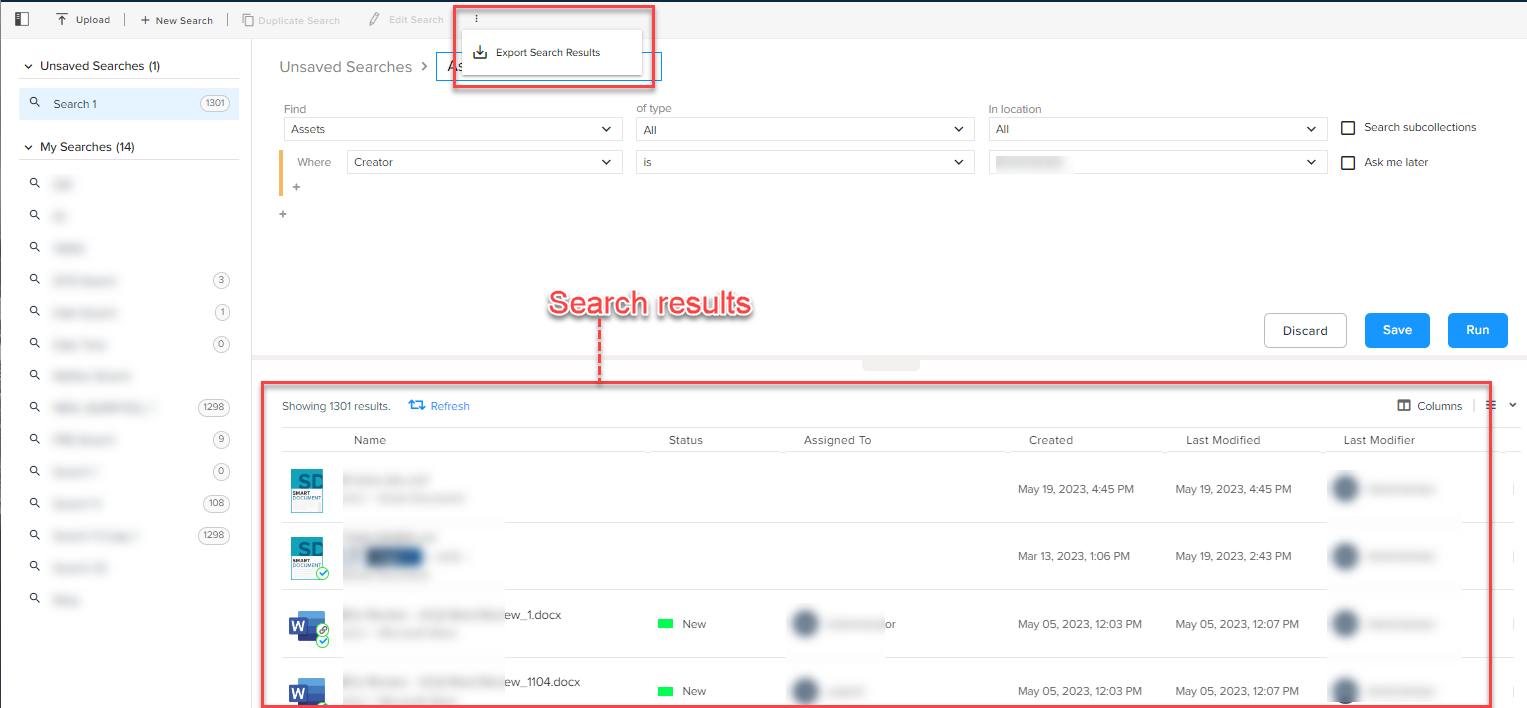
- After the search results are displayed, expand the kebab menu in the tool bar, and select the option Export Search Results to open the dialog Exporting.
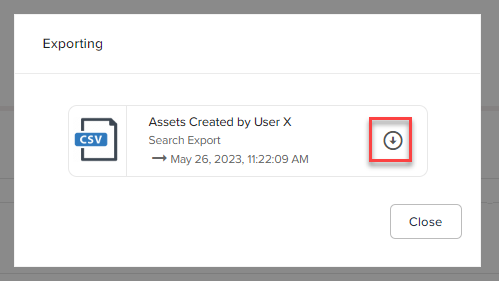
- In the dialog Exporting, select the icon button
to download the list of assets created by the selected user in a CSV file.
Priyanka Bhotika
Comments