Summary: All content types and assets have a unique set of attributes in QPP NextGen. The Attributes tab allows you to manage these attributes that include some system-generated information such as the time and date of an asset's creation and previous modification, some platform-specific properties such as Checked Out By, and some custom properties that you may define based on your workflow requirements, for example, a workflow status for image approval.
Solution: Follow the below steps to create a new attribute:
-
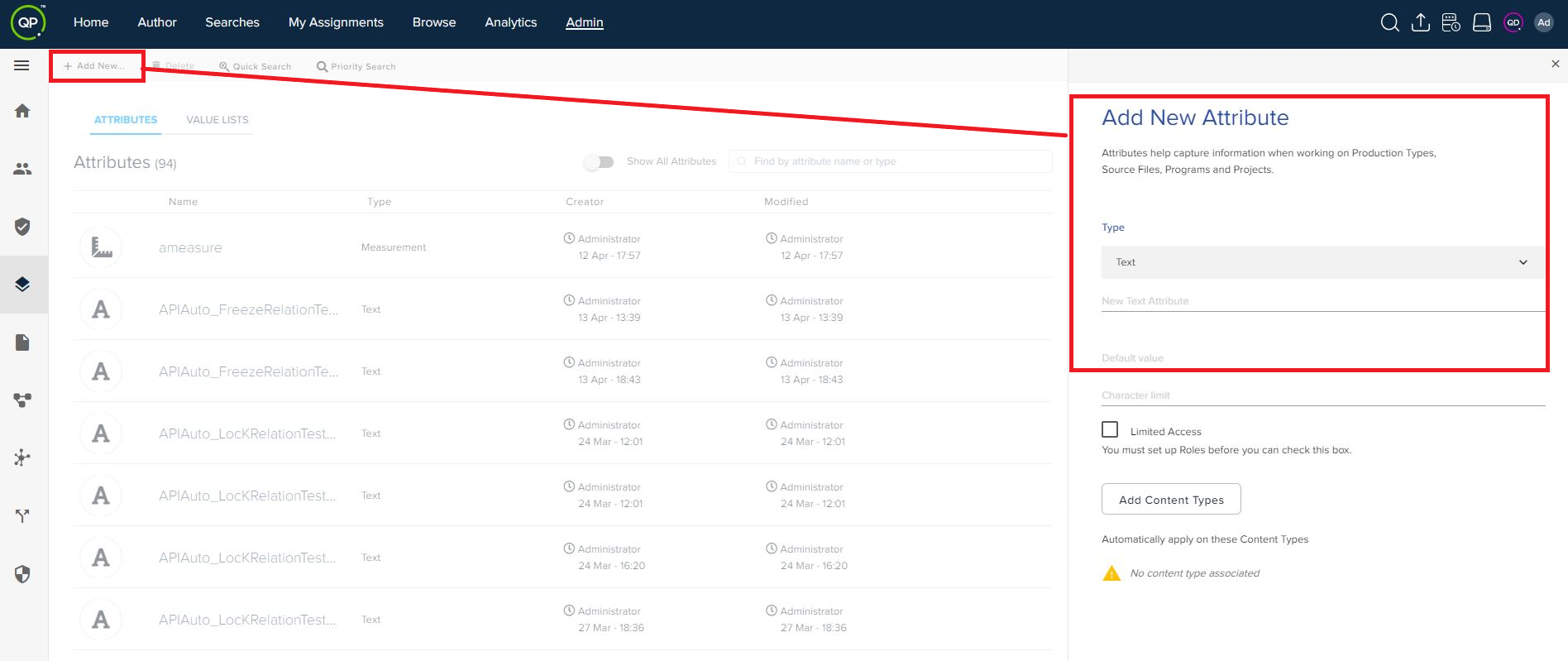
Under the Attributes tab, select the button + Add New to open the Add New Attribute pane.
-
In the Add New Attribute pane, select an attribute type from the Type dropdown menu.
-
Enter the required fields related to the type of attribute you have selected.
-
Select whether the attribute would have limited or normal access.
-
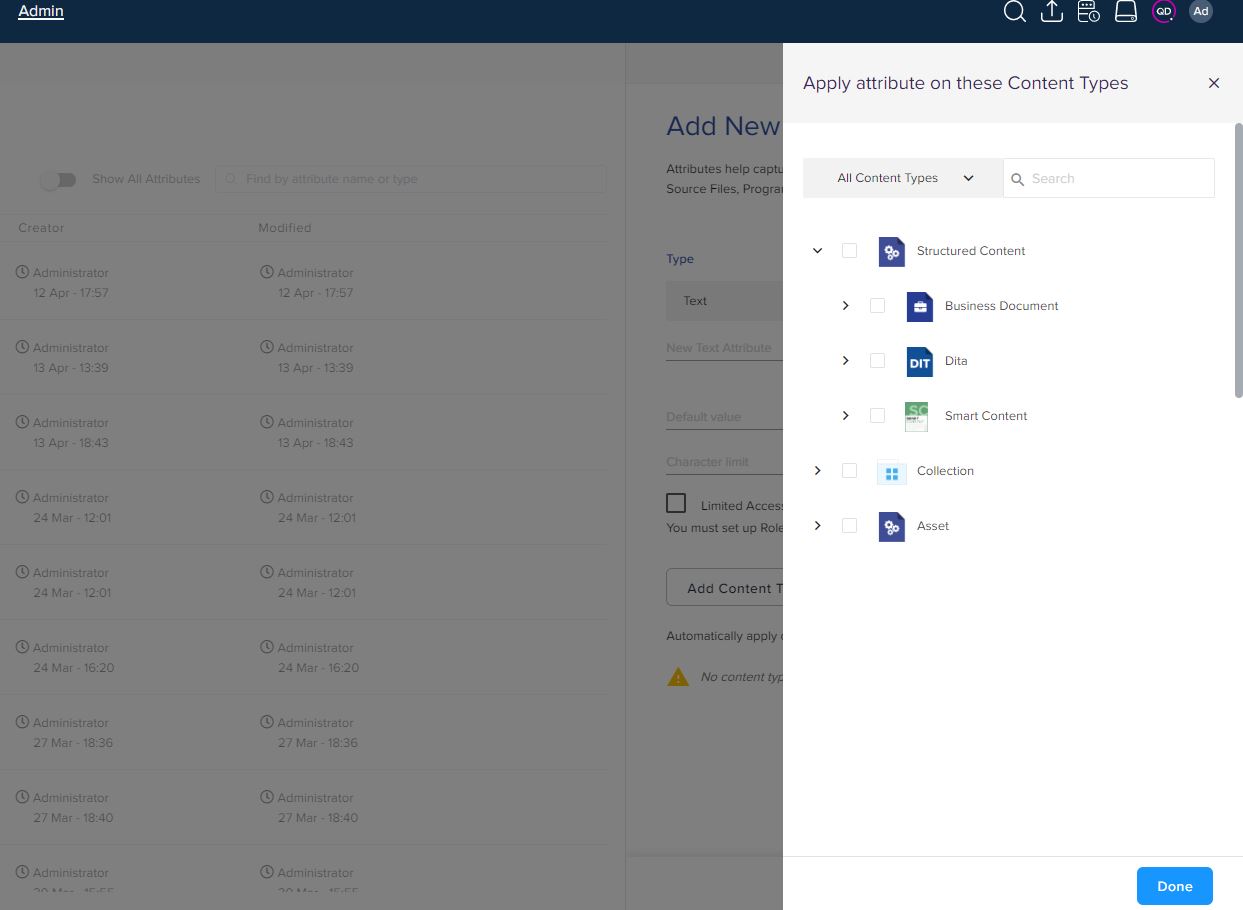
Select the button Add Content Types to open a pane from where you can select a content type for the attribute and then select Done.
-
Select Save.
Priyanka Bhotika
Comments