To add an attribute to the quick search functionality, perform the below steps:
- Select the button Quick Search in the top bar actions to open the Attributes pane.
- In the Attributes pane, expand the Select dropdown menu, which lists the attributes available on the server. You can also search for an attribute by name within the dropdown menu.
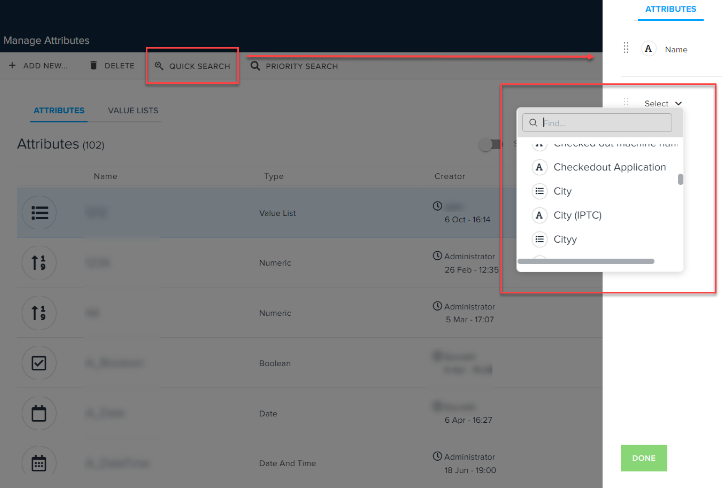
-
Select an attribute to add the attribute.
- Select Done.
Note: To remove an attribute, select the close icon  next to the attribute name in the list.
Priyanka Bhotika
Comments