Product: Quark Publishing Platform (QPP) NextGen
To add/remove columns for the listed items, Go to "My Assignments" tab and follow the below steps:
-
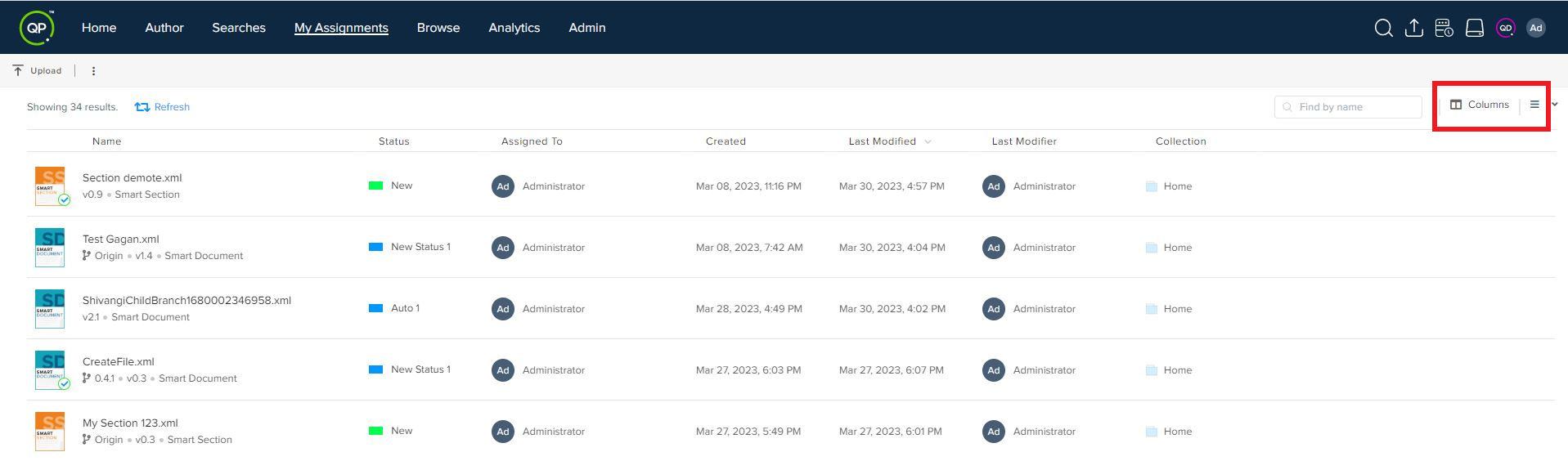
Select the options Columns at the upper-right corner of the page to open the column and sorting pane at the right-hand side of the screen.
2. In the column and sorting pane, add or remove a column.
a.) To add a column, select the dropdown menu Select and then select the column you want to add. You can also search for a column by name within the dropdown menu.
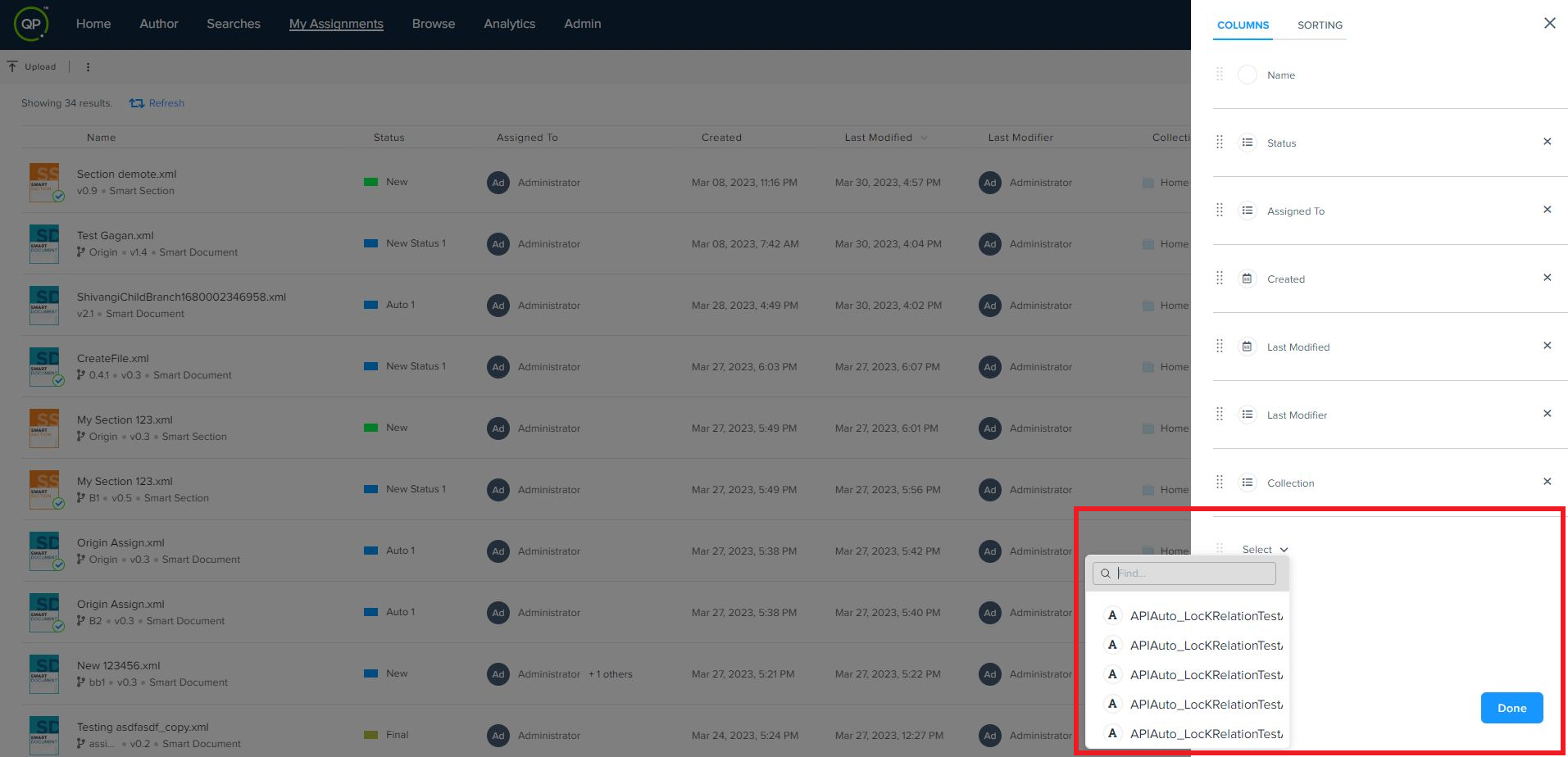
 against the column name.
3. Click Done.
Priyanka Bhotika
Comments