The Elements tab allows you to add and manage smart content elements such as paragraphs, tables, lists, regions, and so on, which can be used across different content models. There are seven predefined types of smart content elements, which are as follows:
- Paragraph (heading, quote, and so on)
- Reference Notes (endnotes, footnotes, and so on)
- BodyDiv
- Tag
- List (numbered list, bulleted list, and so on)
- Region (boxes, callouts, and so on)
- Table
Add an Element:
To add an element:
- Go to content models section (Admin) and click on Elements tab.
- In the Elements tab, select one of the smart content element types to open the Element Types pane. The Element Types pane also list the elements that have already been added to that smart content element type.
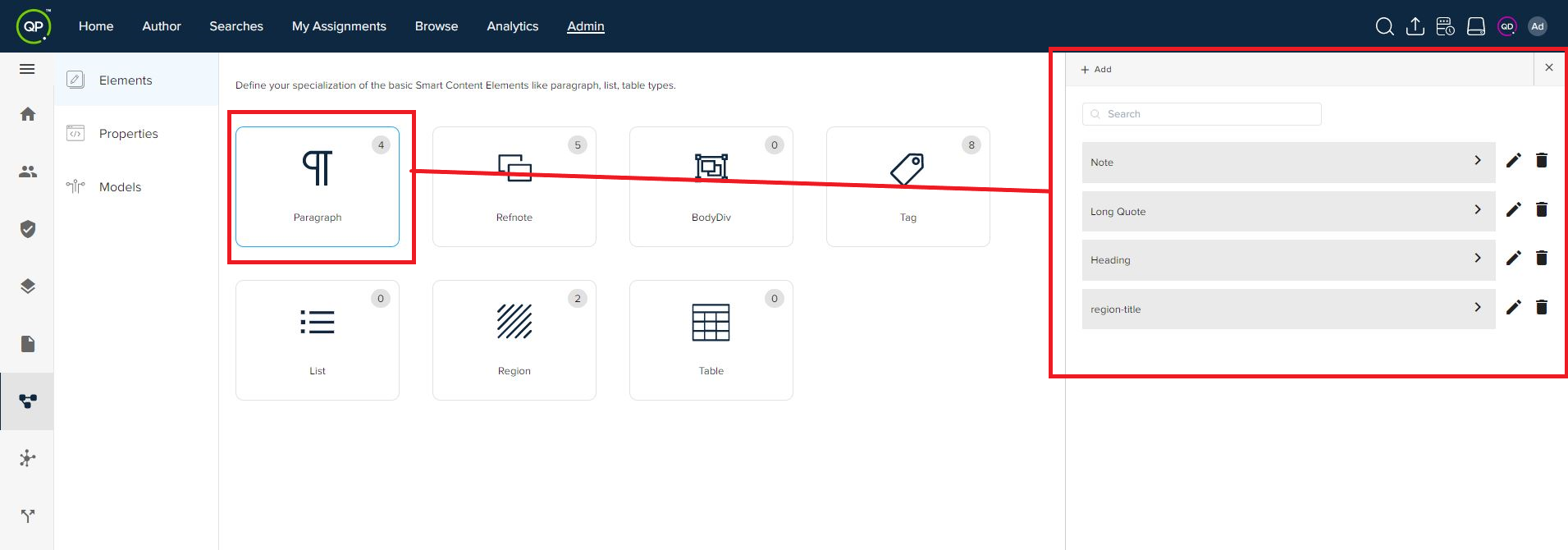
- In the Element Types pane, select the + Add button to expand the name and type fields for the new element.
- Enter the name of the element.
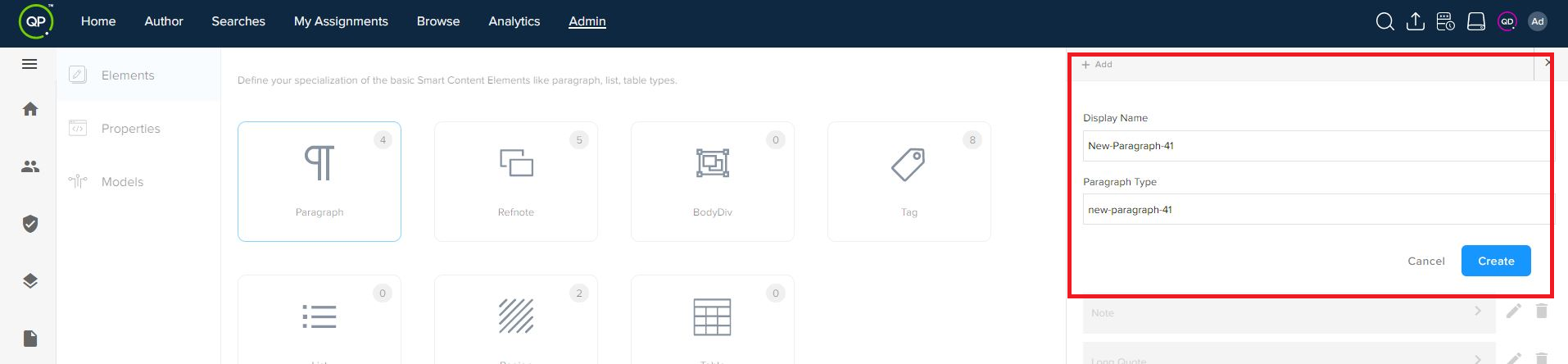
- Click on the Create button.
- You can edit an element (edit name) and delete an element through icons next to a listed element in the Elements Types pane.
Priyanka Bhotika
Comments