Product: Quark Publishing Platform (QPP) NextGen
To edit a collection's properties, follow the below steps in Workspace:
-
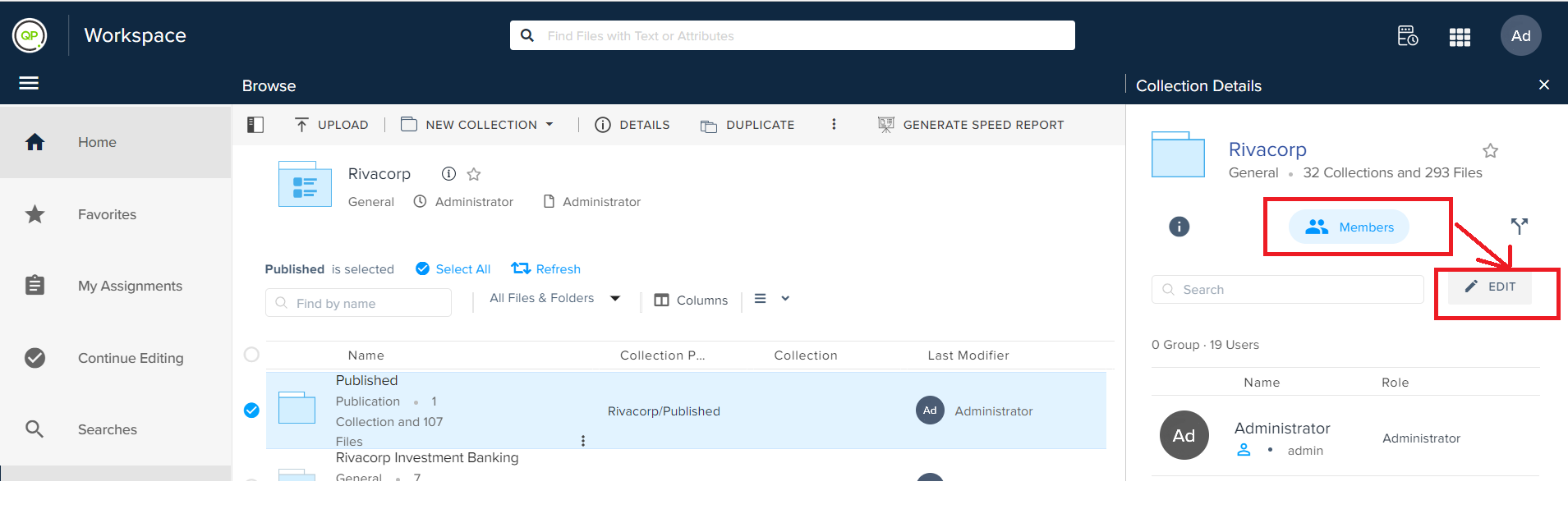
In the Collection Details pane, select a tab (Attributes, Members, or Workflows) for which you want to edit a property.
-
Click on the Edit button.
-
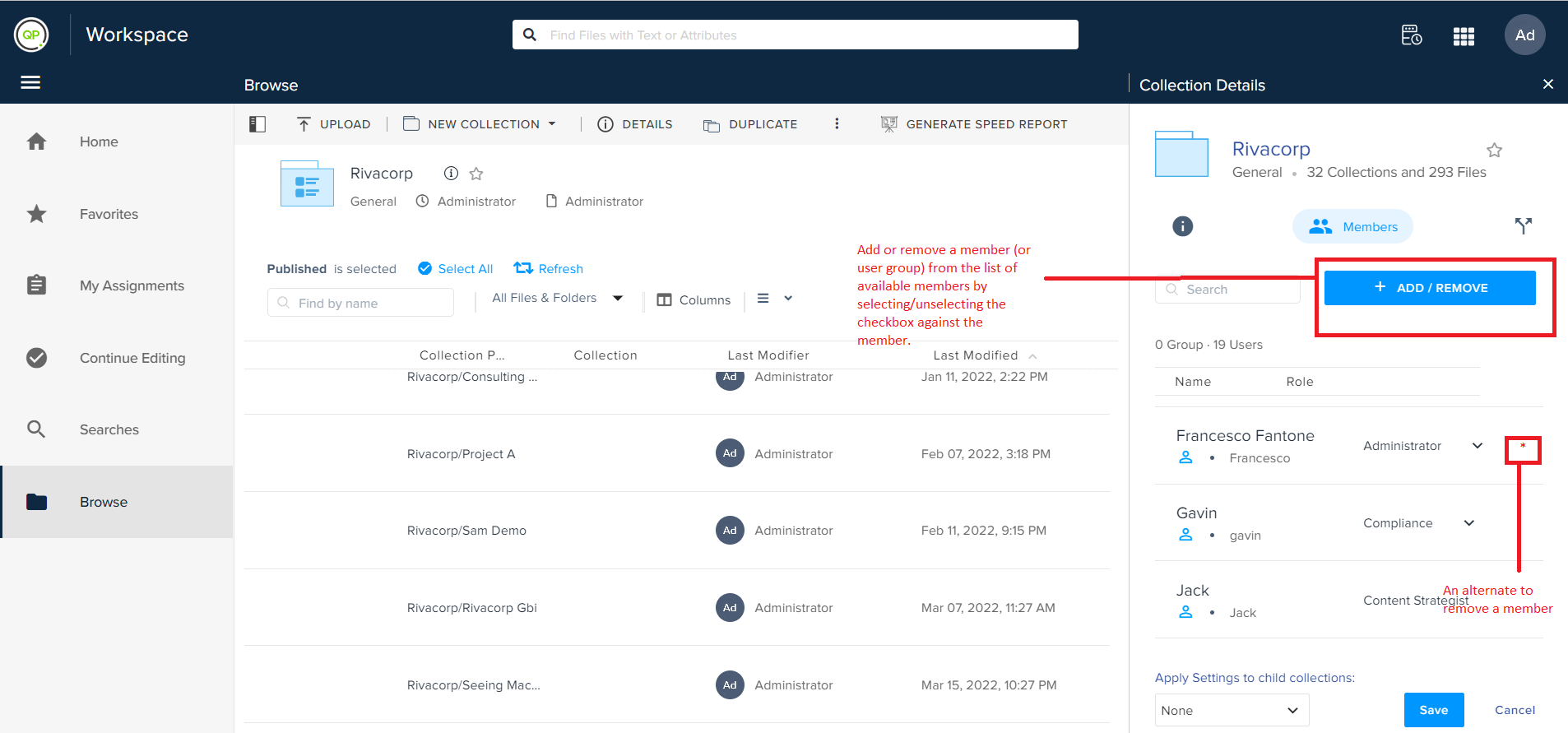
Change an attribute or add/remove a member (user group)/workflow based on the selected tab.
-
Click on the Save button.
Priyanka Bhotika
Comments