Follow the below steps to edit a value list in Administrator:
-
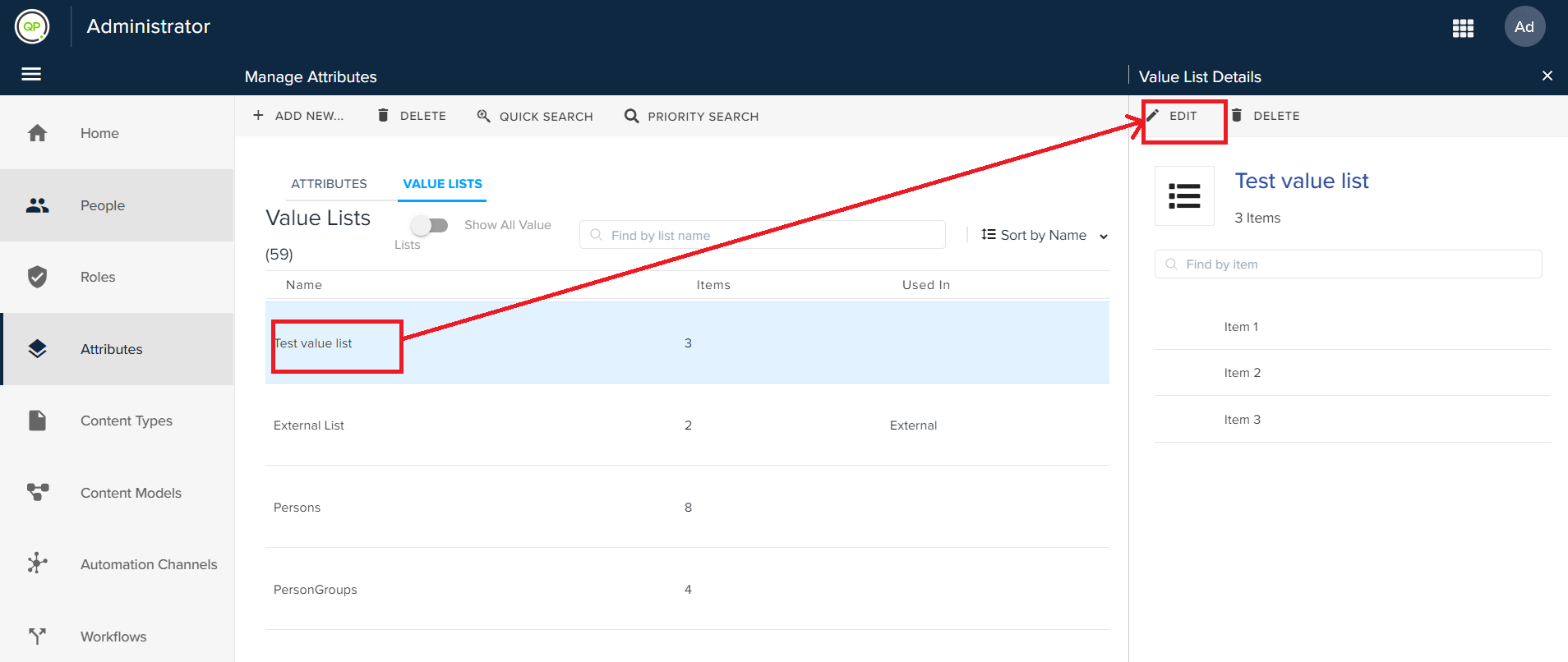
Double-click on an item listed under the Value Lists tab to open the Value List Details pane.
-
In the Value List Details pane, click on the edit button to open the Edit Value List pane.
-
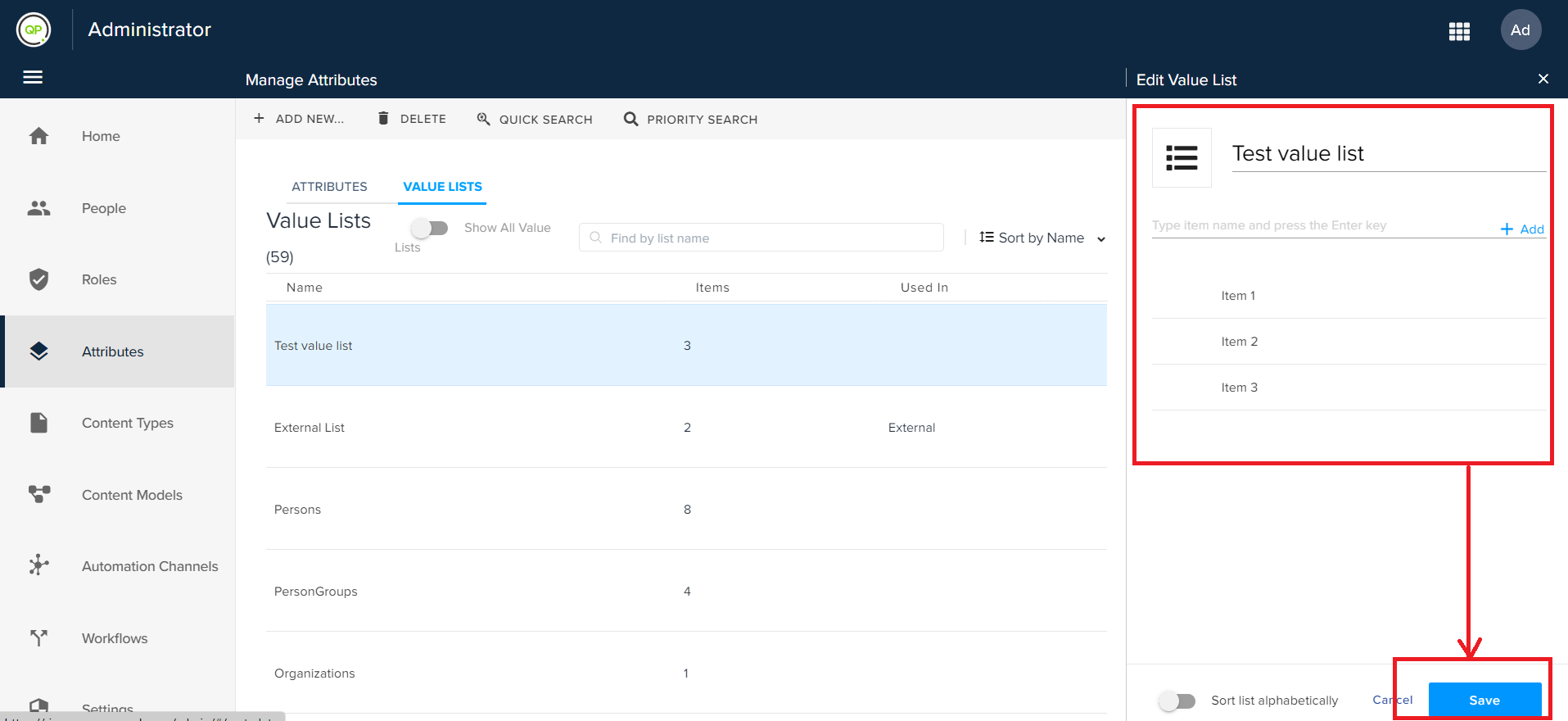
Make your edits (rename the list, add a list item, remove a list item, or rename a list item).
-
Click Save.
Priyanka Bhotika
Comments