Product: Quark Publishing Platform (QPP) NextGen
To share a search query, follow the below steps:
-
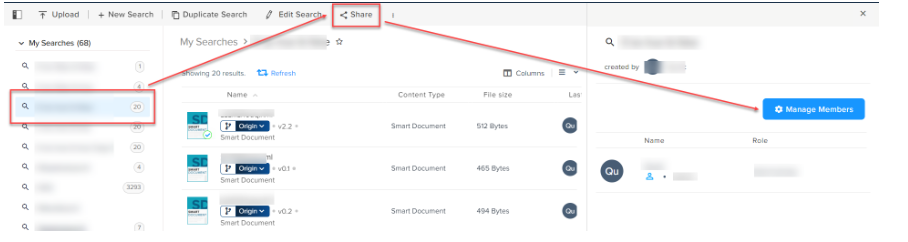
Select the Share button in the top-of-the-bar operations to open the Share Search pane.
-
In the Share Search pane, select the button Manage Members.
-
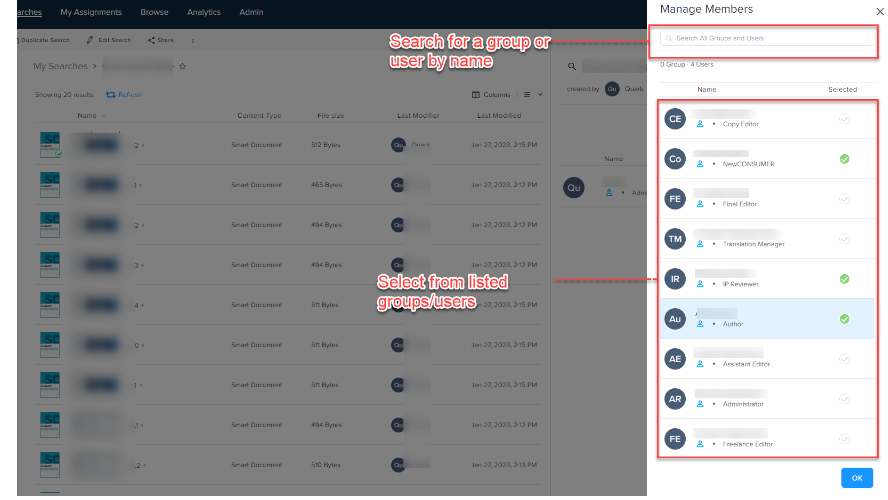
In the Manage Members pane, select the users and user groups with whom you want to share a search and then select OK.
-
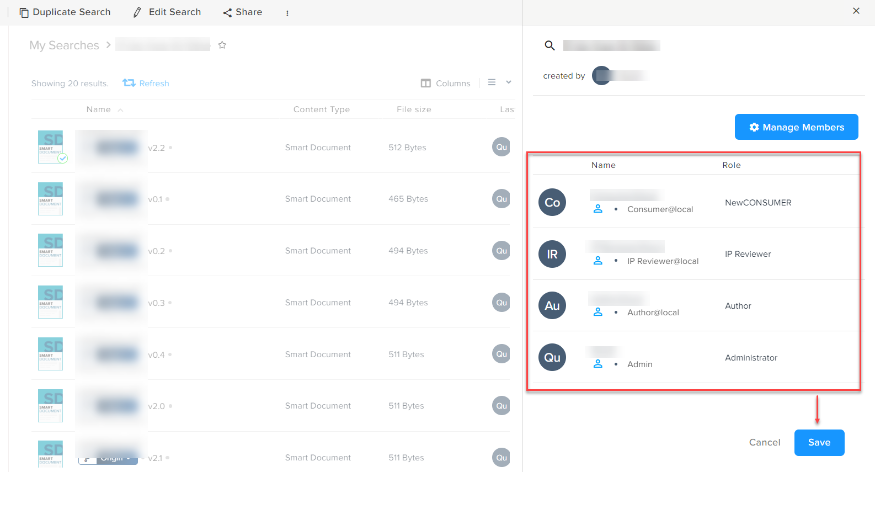
In the Share Search pane (where you can now see all the users and user-groups), select the button Save.
Priyanka Bhotika
Comments