You can find the option to create a new content model in the QPP NextGen admin console. To create a content model:
- Log in to your QPP server and go to the Admin console.
- Under the left pane tab Content Models, select Models and then select the button +Add in the top bar actions to open the window to create a new content model.
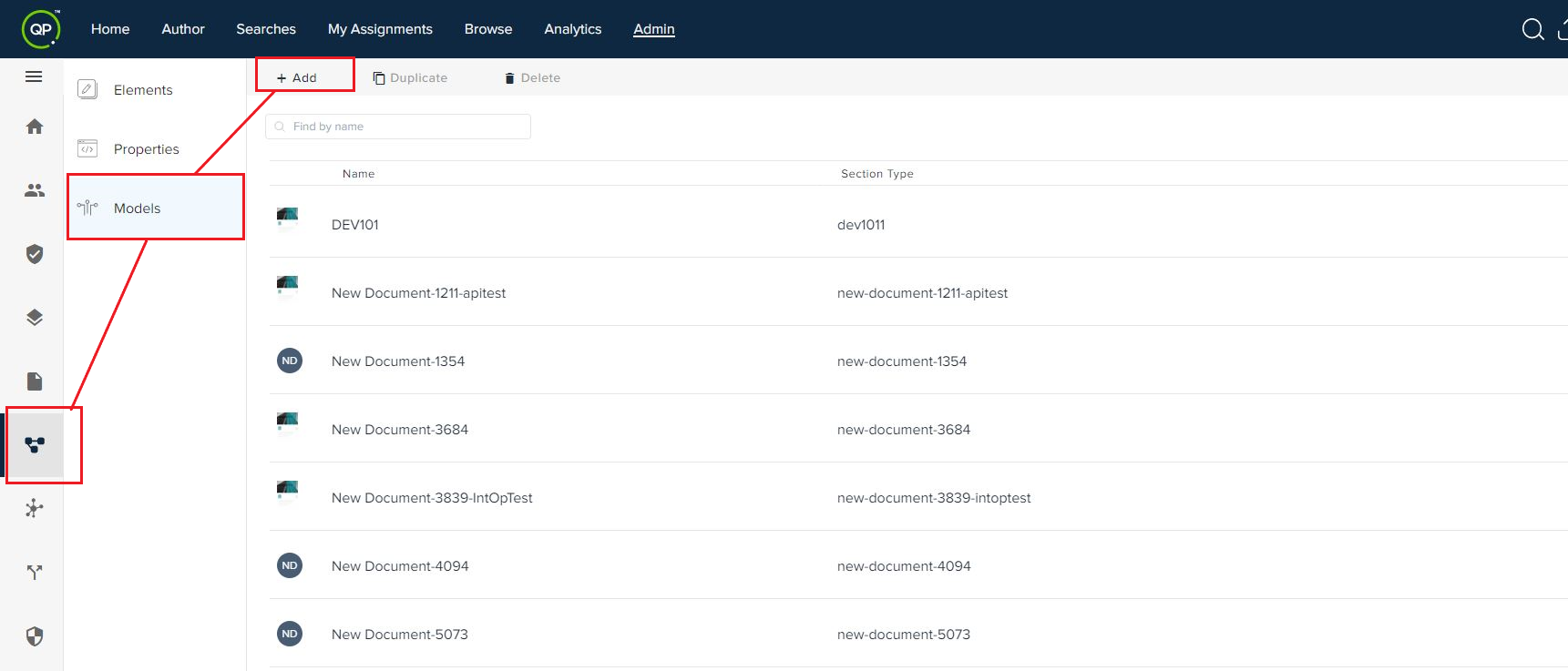
In the window that opens, enter the following information:
- Name (the name of your content model)
- Type (while you enter the name, QPP NextGen automatically generates a value for the field Type)
- Label (to be displayed on the user interface)
- Section Properties (the attributes of a document built using a content type of this content model)
- Label & Title (allows you to set the default title text, placeholder title text, and default body text)
- Properties for all the elements (paragraph, region, table, and so on) that you want to include in your content model.
- Click on Save and content model is created.
Priyanka Bhotika
Comments