Product: Quark Publishing Platform (QPP) NextGen
Summary: The QPP NextGen Script Manager (or Script Manger) allows you to manage automated scripts that perform actions without requiring another QPP NextGen application or user intervention.
A script has access to all the QPP NextGen Server objects and can invoke all the operations defined in QPP NextGen Server API to produce the required results. To use a script, you first must save it while logged on to QPP NextGen Server and import it.
Scripts initiate actions based on QPP NextGen events - scheduled or on a user’s single click. Your QPP NextGen installation includes sample scripts that you can import into Script Manager.
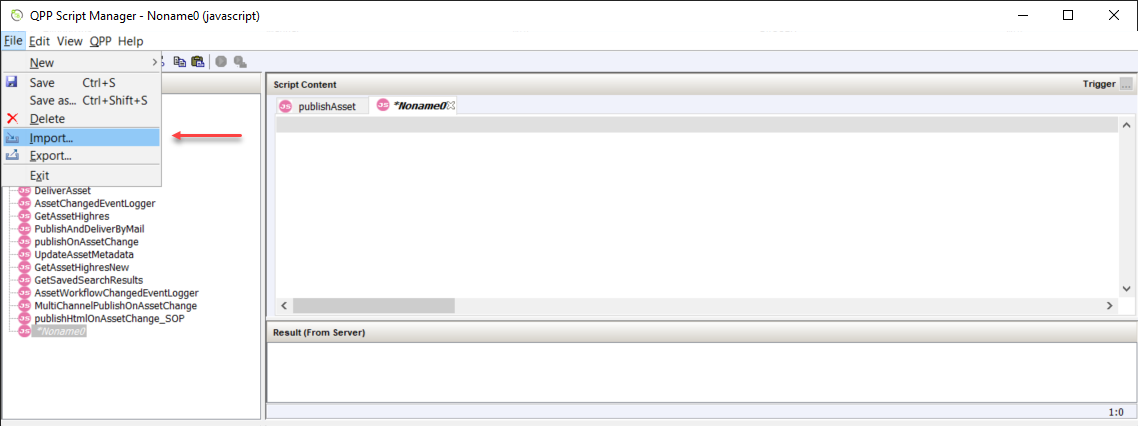
To import a script:- Select File > Import.
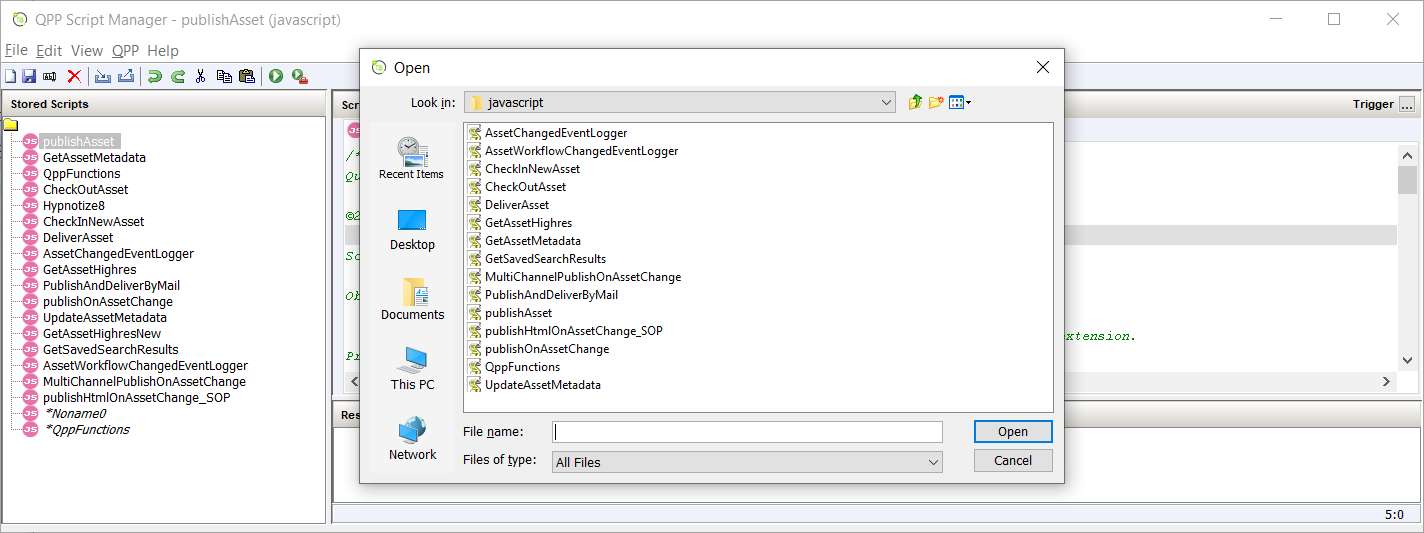
- In the dialog box Open, browse to the folder location Sample Scripts > javascript, which contains sample scripts that you can import to edit and then run.
- Select a script and then select Open.
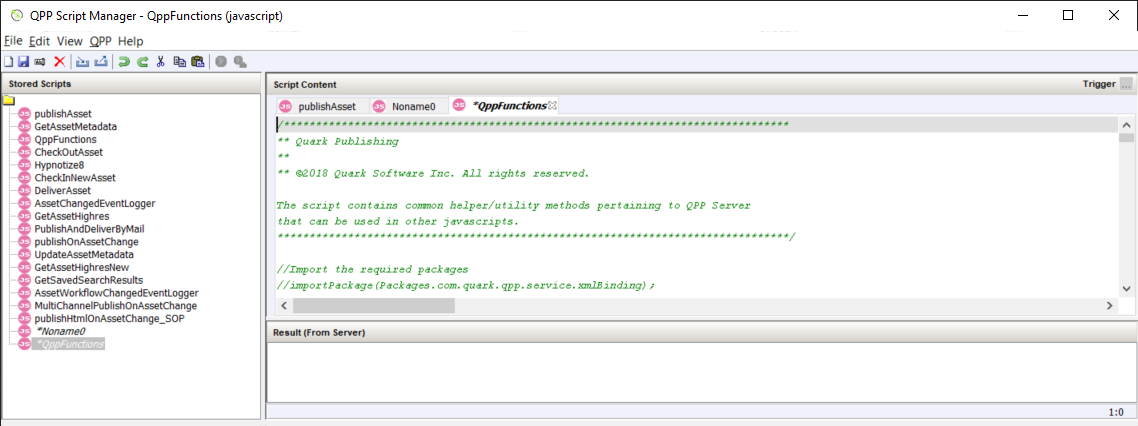
- Script Manager opens the script for you to view/edit.
-
Select File > Save.
Note: Even when you do not make any edits to an imported script, you have to close the script through the File > Save function to make the script available at QPP NextGen Server.
Priyanka Bhotika
Comments