Product: Quark Publishing Platform (QPP) NextGen
Summary: The QPP NextGen Script Manager (or Script Manger) allows you to manage automated scripts that perform actions without requiring another QPP NextGen application or user intervention.
A new script allows access to almost all QPP NextGen Server services through the Script Manager interface, including all Data Transfer Objects (DTOs) and Java™ Message Service (JMS) messages.
Scripts initiate actions based on QPP NextGen events - scheduled or on a user’s single click. Your QPP NextGen installation includes sample scripts that you can import into Script Manager.
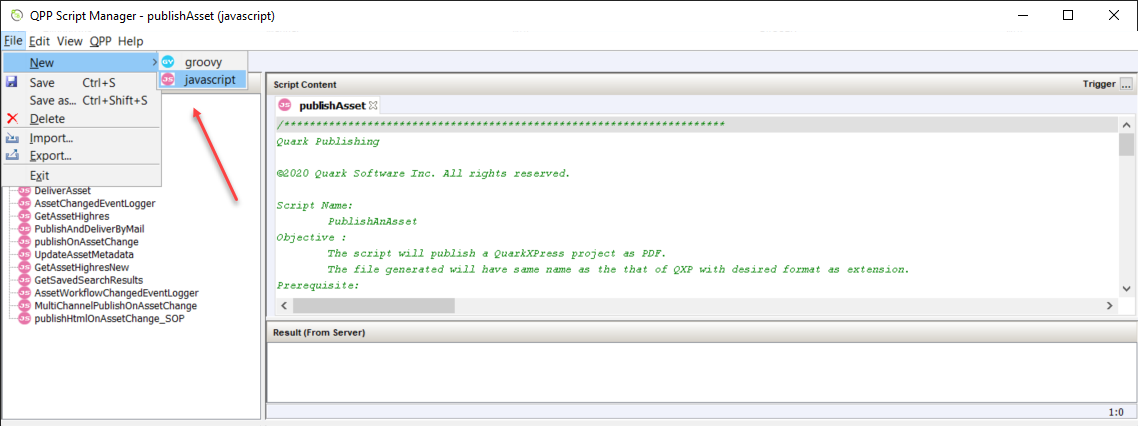
To create a new script:
- Select File > New > javascript
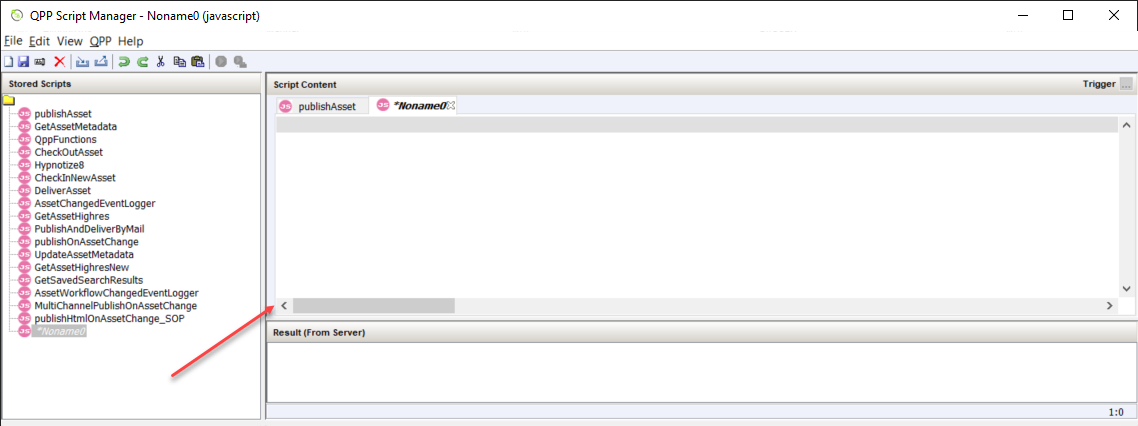
- Service Manager displays a new script in the Stored Scripts section and a blank script in the section Script Content.
-
After you have written the script, select File > Save.
Priyanka Bhotika
Comments