Summary: Displays all the events related to an asset, such as when you open an asset, close an asset, change property, and so on. Through the Audit pane, you can filter the results for events by date range, event type(s), version(s), and user(s). Additionally, there are options to go back forward between audit lists, revert a selection, refresh the list, and download the list as an image, data, Crosstab, PDF, PowerPoint, or Tableau Workbook file.
Solution: Here are the steps to download the audit list of an asset in QPP NextGen
1. Log in to the Workspace of QPP NextGen
2. Select the required asset & the asset detail will appear in the right pane.
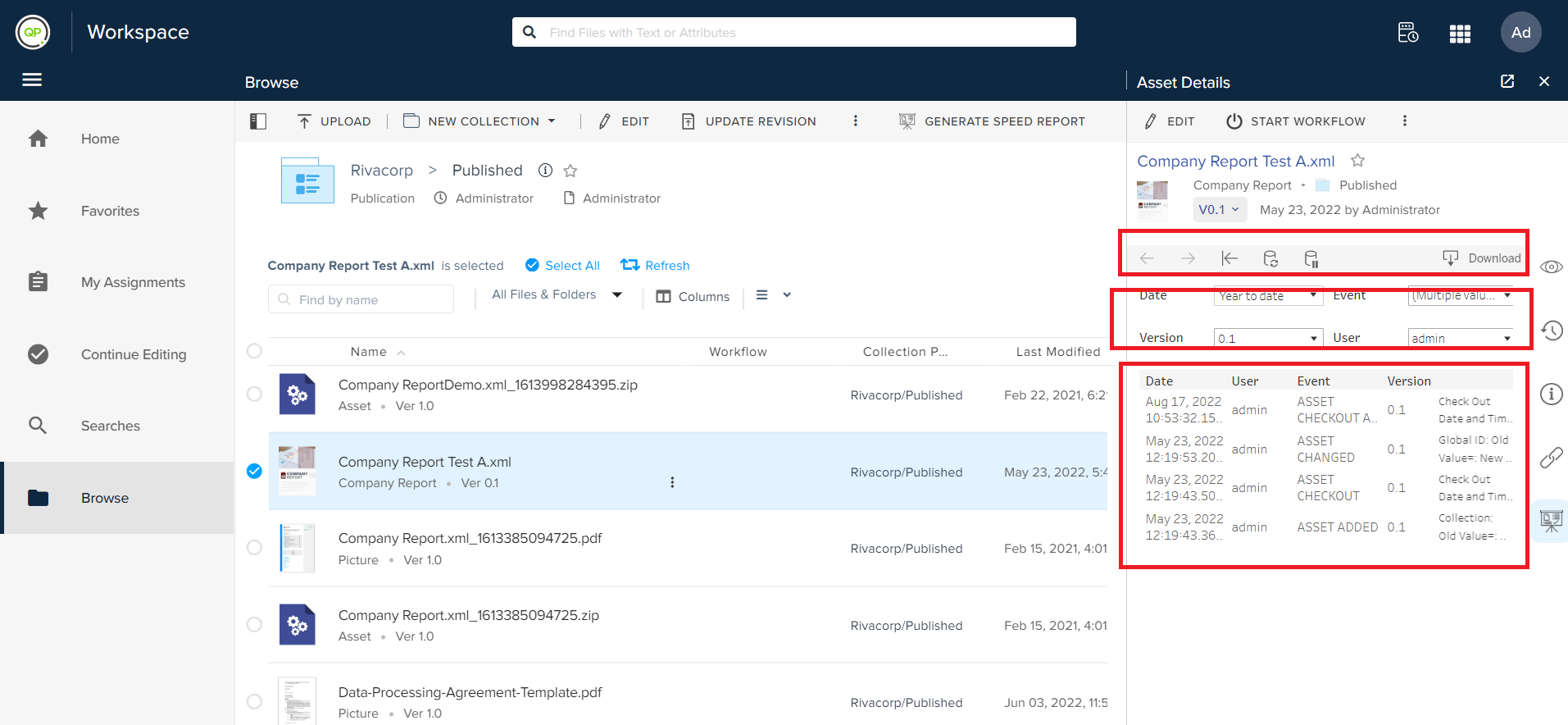
3. Select the Audit blade & click on the Download button. A pop-up will appear to select the format.
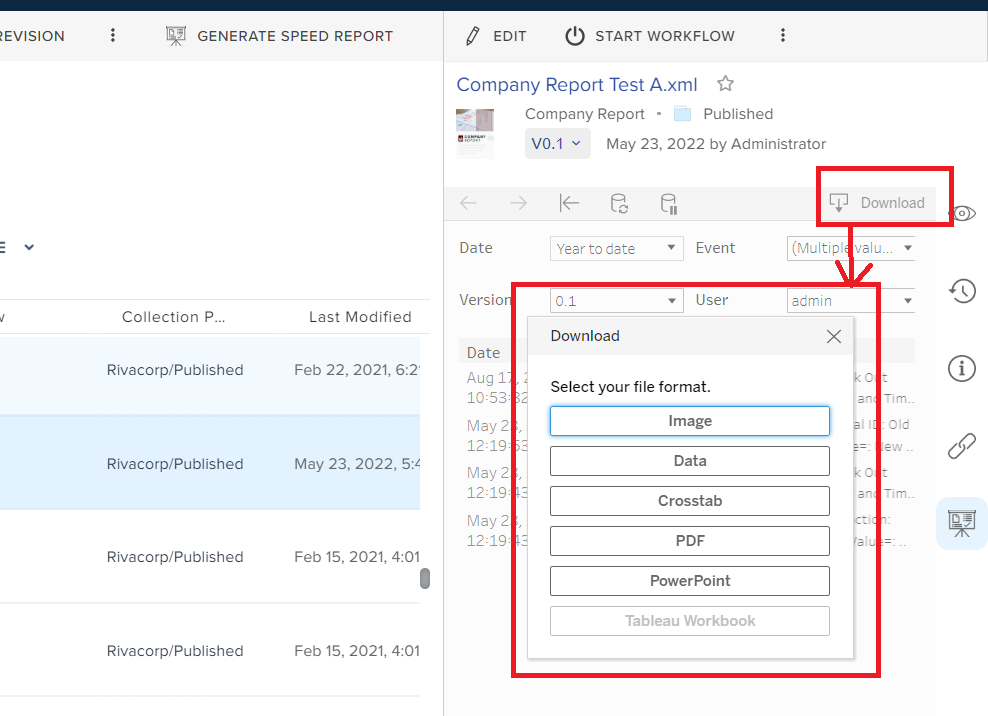
4. The audit list of the required asset will be downloaded in the required format.
Priyanka Bhotika
Comments