Following are steps to create a new Automation Channel in Quark Publishing Platform NextGen:
- Log in to Quark Publishing Platform NextGen with administrative privileges.
- Navigate to the "Admin" tab and click on the "Automation Channel" option in the left navigation pane.
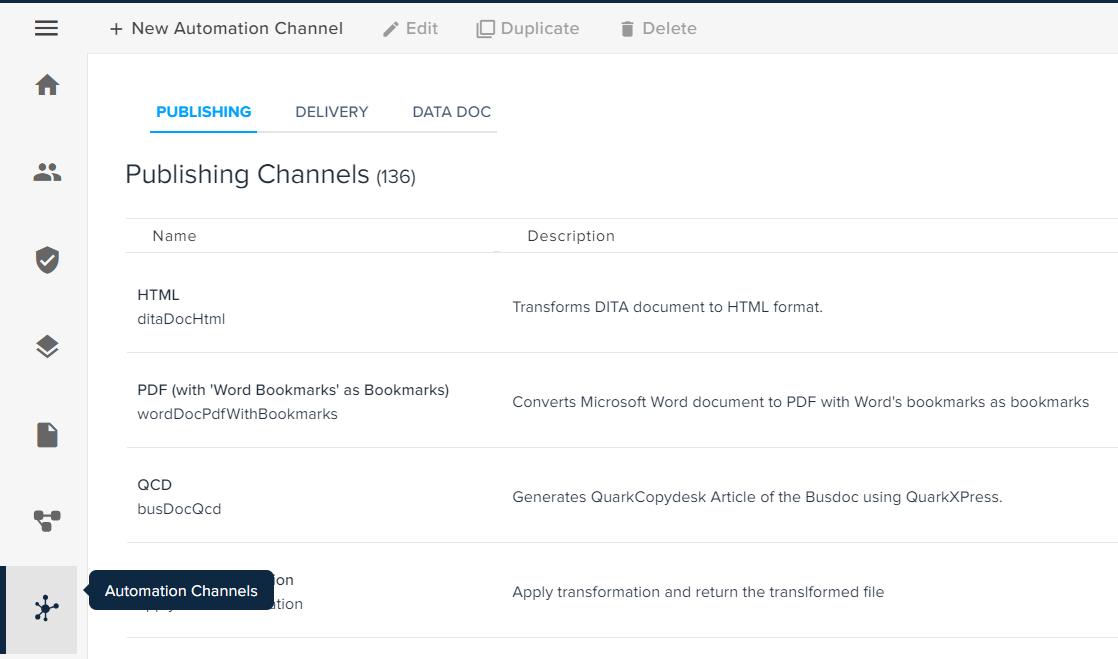
- Click on “New Automation Channel”.
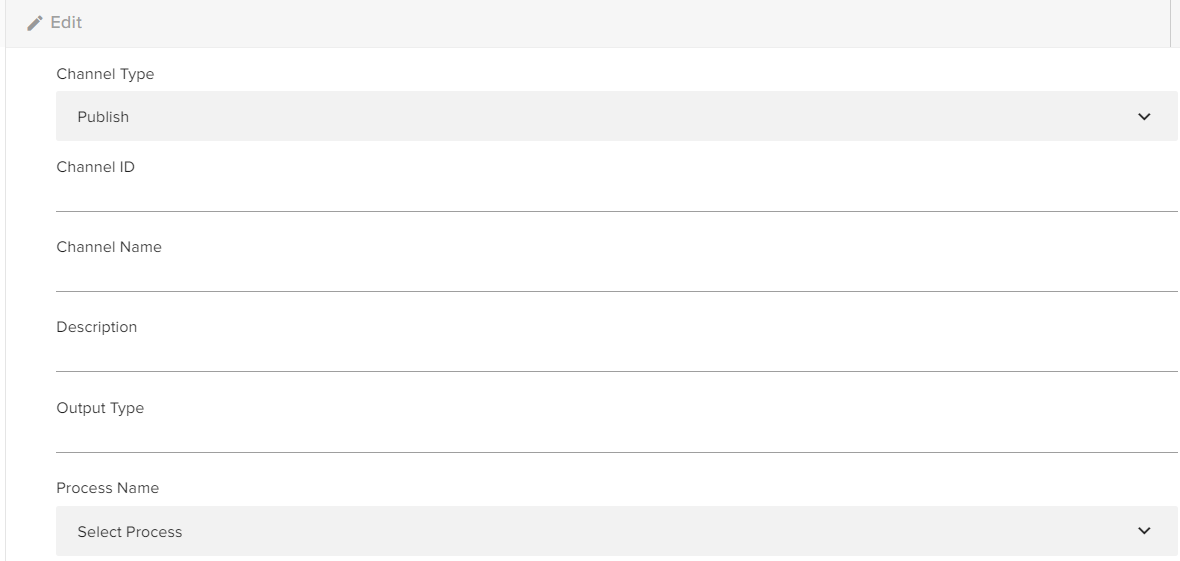
- Select the channel type for the Automation Channel the user wants to create.
- Enter the Channel ID, Channel Name, Description, Output Type, and the associated Process Name for the Automation Channel.
-
Please Note:
- The channel ID must be unique.
- The process name indicates the specific procedure that will be applied to the automation channel to fulfill the desired outcomes.
- Select the button Save.
Priyanka Bhotika
Comments